ERP
App
ERP
Overview
An ERP template is a pre-configured, customizable application structure that replicates the core modules and workflows of an enterprise resource planning system-finance, inventory, orders, purchasing, approvals-so your business can centralize operations without building from scratch. ERP templates are reusable assets combining best practices, configurations, and documentation into a scaffold you deploy, connect to your data, and tailor to how your company actually works.
The core problem this template solves is operational fragmentation. When customer records live in one spreadsheet, inventory in another, invoices in an accounting tool, and purchase orders in email threads, every department operates on partial information. Finance teams wait on operations for order data. Procurement managers manually check stock before raising purchase orders. Sales can't confirm availability in real time. The result is duplicate data entry, inconsistent records, delayed reporting, and errors that compound across the business. Research into spreadsheet reliability has found formula error rates of roughly 0.8% to 1.8% per cell-small individually, but across thousands of cells these errors propagate real financial and operational risk.
Customizable ERP systems centralize core business operations into a single place: customers, suppliers, products, orders, invoices, inventory, and approvals all draw from shared master data. Standardized processes across departments improve operational efficiency, and every user sees up-to-date information filtered to their role. ERP templates are pre-configured setups designed to accelerate ERP system implementation-providing standardized frameworks for finance, procurement, inventory, and HR processes so you move from disconnected tools to a unified operational interface in weeks, not months.
With Jet Admin, you can generate a modular ERP app, connect your existing databases and APIs, customize the interface and logic, set role-based access, automate workflows, and publish-all without writing code. Customizing templates to fit specific business needs is recommended for effective ERP usage, and Jet Admin's visual builder makes that adaptation straightforward. Start with the free template and shape it around your operations.
Why use this ERP template
Scattered data costs more than you think. When customer information lives in a CRM, inventory counts in Google Sheets, invoices in accounting software, and purchase orders in email, no single department has complete visibility. Sales can't confirm stock. Finance can't reconcile payables against received goods. Operations can't track order status without calling procurement. This template brings those records into one place, giving every team a shared, consistent view of the business without forcing a full system migration.
Manual processes create bottlenecks. Manually re-entering order details into purchasing forms, copying invoice data into spreadsheets for reporting, or routing approvals through email chains-these steps consume time and introduce inconsistency. ERP systems help streamline internal processes and reduce manual work. This ERP template replaces ad-hoc workflows with standardized order-to-invoice processes, automated inventory updates, and structured approval chains. When an order is created, purchasing workflows trigger. When stock moves, inventory views update. When an invoice is issued, finance records reflect the change.
Collaboration improves when everyone works from the same data. A finance team tracking payments needs to see which orders shipped. Procurement managers placing purchase orders need current stock levels. Operations leaders managing fulfillment need to know what customers expect and when. Templates provide standardized frameworks for finance, procurement, inventory, and HR processes-so each department works within the same system, referencing the same master records, with real-time updates flowing between modules.
Realistic improvements, not magic. This template won't solve every operational challenge overnight. You'll still need to map your fields, clean existing data, and train users on the new interface. But the improvements are tangible: fewer manual handoffs between departments, consistent master data for customers and suppliers, dashboards that assemble themselves instead of requiring hours of CSV manipulation, and approval workflows that route automatically instead of stalling in someone's inbox. Standard templates for master data help reduce inconsistencies and improve data quality-and that consistency compounds across every process that touches those records.
Using ERP templates can lead to faster implementation and reduced costs. Where small ERP implementations can run $30,000–$80,000 in year one and take four to nine months, a template-based approach focuses on core workflows and gets you operational in a fraction of that time and budget.
Template features
Role-based access modules
Role-based access allows tailored user permissions in ERP systems. Configure visibility and editing rights by user and team so each department sees only the modules and data relevant to their work. Finance accesses invoice and payment dashboards. Warehouse staff sees inventory tracking views. Procurement manages supplier records and purchase orders. Jet Admin supports read, edit, and delete permissions per collection, with conditional filtering that restricts record-level access based on user attributes like department or location. This protects sensitive financial data while giving operations teams the information they need.
Master data tables
Centralized master data tables for customers, suppliers, products, employees, and locations form the foundation of the template. Every module references these shared records-so when sales creates an order against a customer, finance sees the same customer on the invoice, and procurement links the same supplier to purchase orders. This eliminates the inconsistency that arises when each department maintains its own contact lists or product catalogs. Standard templates for master data help reduce inconsistencies and improve data quality across every downstream process.
Order and purchasing workflows
The template includes sales order creation interfaces and purchase order workflows that connect directly to inventory and supplier data. When stock drops below a defined threshold, users can generate purchase orders against the relevant supplier. Automated matching links purchase orders to goods receipt and invoices, and routes transactions through approval if they exceed set thresholds. Pre-defined workflows in ERP templates can minimize risks during deployment by ensuring orders follow a consistent path from entry to fulfillment.
Inventory tracking views
Real-time inventory views show stock levels, stock movements, and location management across multiple warehouses or sites. Visual cues flag items below reorder points or aging stock that needs attention. Operations and procurement teams can track what's on hand, what's on order, and what's pending receipt-without sending email requests or checking separate spreadsheets. These views connect directly to order and purchasing modules so every transaction automatically updates available stock.
Finance records dashboard
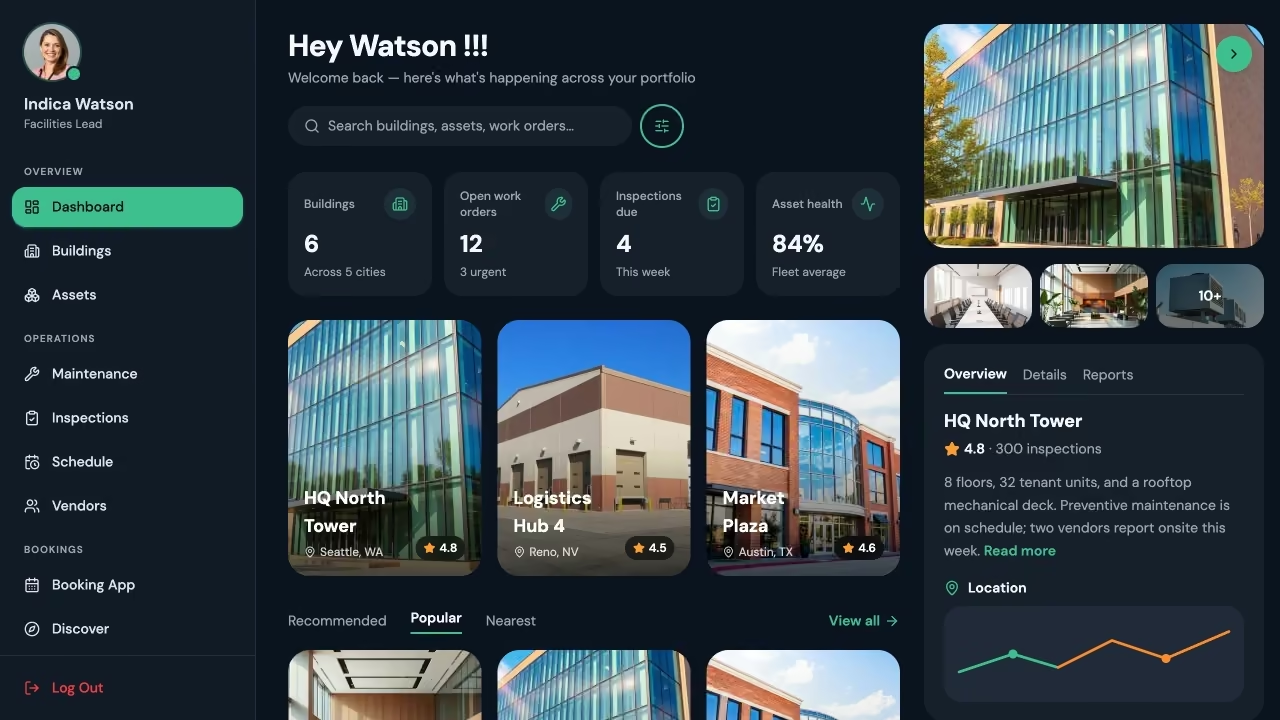
The ERP dashboard for finance provides a consolidated view of accounts payable, accounts receivable, invoice statuses, and payments pending. Track AP aging, monitor cash flow, and review revenue by customer, product, or department-all from dashboards that update as underlying data changes. This replaces the manual assembly of financial reports from multiple sources, giving the finance team immediate access to the numbers they need for budget planning and reconciliation.
Approval workflows
Customizable approval chains route purchases, expenses, and transactions based on amount thresholds, role hierarchy, or department. For example, purchase orders above a set number automatically route to a senior approver before processing. Jet Admin lets you configure multi-step approvals triggered by data changes or user actions, with automated notifications to keep the process moving. These structured phases improve accountability in complex ERP deployments.
Global search functionality
A unified search function lets users find any record-customer, order, invoice, product, supplier-from a single interface. Instead of navigating between separate modules or tools to locate information, users search once and land on the relevant record. This is essential for support teams handling client requests, finance staff reconciling transactions, or operations managers checking order status on the fly.
Performance dashboards
Cross-functional dashboards visualize KPIs across orders, inventory value, revenue, margins, and supplier performance. Chart components, counter cards, and trend lines present data that would otherwise require manual report assembly. Compare performance across time periods, business units, or product lines. These dashboards give leadership the visibility to make informed decisions without waiting for end-of-month reports.
Who is this ERP template for?
Operations leaders managing workflows across multiple departments benefit from centralized visibility into order backlogs, supplier lead times, inventory movements, and fulfillment status. Instead of assembling updates from separate tools, they get a single operational view with standardized processes that improve accountability.
Finance teams needing unified tracking of invoices, payments, receivables, and budget performance. The template consolidates financial records into dashboards that update in real time, reducing manual report generation and giving immediate access to AP aging, cash flow, and revenue breakdowns.
Inventory and procurement managers requiring up-to-date stock levels, automated purchase order generation, and real-time supplier management. Without this template, they rely on manual stock checks and email-based requests-processes that create delays and errors. The template connects inventory data directly to purchasing and order workflows.
Small and medium businesses that have outgrown spreadsheets but aren't ready for a full ERP system implementation. Templates often include industry-specific settings and pre-configured modules, giving SMBs access to ERP-grade workflows without the consulting costs or lengthy project timelines of traditional deployments. A customizable ERP can adapt to specific business needs and workflows regardless of company size.
Multi-department organizations where finance, operations, procurement, and sales each need role-based access to shared business data. The template ensures every department works from the same records while only seeing the modules relevant to their function.
Growing companies planning for scale that need process discipline and standardized data models before committing to a large ERP vendor. ERP templates help adopt industry best practices quickly, establishing the foundational structure that supports future growth or eventual integration with enterprise systems.
How to set up your ERP template
- Select the ERP template Browse Jet Admin's template library and select the ERP template or related modules-Inventory Management, Order Management, Vendor Management-that most closely match your business needs. Templates assist in the organization of implementation activities, such as timelines and milestones, so you start with a proven structure rather than a blank canvas.
- Connect your existing data sources Link the databases and services you already use. Jet Admin offers native connections to PostgreSQL, MySQL, Supabase, BigQuery, Snowflake, Airtable, and Google Sheets. For accounting, CRM, or other business tools, connect through REST or GraphQL APIs. Customizable ERP solutions can integrate with tools like Zapier and Stripe through these API-based connections. You blend data from multiple sources without forcing everything into a single database.
- Map your business fields to template structures Align your existing data to the template's master tables. Map customer name, contact, and tier into the Customers table. Map product SKU, description, cost, and price into Products. Map order date, status, and line items into Orders. Clean your master data before mapping-inconsistencies in source systems carry forward if not addressed.
- Customize interface layout and modules Use Jet Admin's visual builder to adjust forms, pages, and dashboard layouts per module. Enable or disable sections-finance, inventory, purchasing-based on what you need today. Rearrange menu structures, adjust views, and configure the UI components so the application fits your team's actual workflow rather than forcing your team to adapt to a rigid structure.
- Configure approval workflows and role-based permissions Define which users and teams can approve purchase orders, invoices, and expenses. Set amount thresholds that trigger multi-step approvals. Assign read, edit, and delete permissions per module and apply record-level filtering by department or location. This step is essential for protecting sensitive financial data while ensuring operations staff can manage their own workflows.
- Test data flow and user access With a small internal team, run through end-to-end scenarios: create an order, generate a purchase order, receive stock, issue an invoice, process a payment. Verify that data maps correctly across modules, approval workflows trigger at the right thresholds, and permissions restrict access as intended. Include representatives from each department to validate their specific views.
- Publish the application and train users Deploy the app to your broader user base. Provide role-specific training-operations learns the order module, finance learns the dashboards, procurement learns supplier and PO management. Monitor usage during the first few weeks, gather feedback, and iterate on the interface and workflows as your team identifies improvements.
Realistic setup for moderate customization and deployment runs approximately three to six weeks. Full rollout across departments may extend to one to two months, depending on the number of data sources, complexity of approval chains, and the state of existing master data. 60% of ERP projects fail without a proper selection process-starting with a proven template and following structured steps significantly reduces that risk.
Ready to centralize your operations? Start with Jet Admin's ERP template and build the unified system your business needs.
Frequently asked questions
What is an ERP template?
An ERP template is a pre-built application structure that includes the data tables, UI screens, workflows, dashboards, and permission settings common to enterprise resource planning systems. ERP templates are reusable assets combining best practices, configurations, and documentation. Instead of building an ERP app from scratch, you deploy the template, connect your data, and customize it to match your company's specific processes, fields, and roles.
Which business modules can it include?
The template includes standardized frameworks for core business modules: Finance (general ledger views, accounts payable, accounts receivable), Inventory (stock levels, locations, movements), Purchasing and Procurement (purchase orders, supplier management), Sales and Orders (order entry, pipelines, fulfillment tracking), Master Data (customers, suppliers, products, employees), and Reporting dashboards. Additional modules like HR or project management can be added based on your business needs. Templates often include industry-specific settings and pre-configured modules to accelerate setup.
Can it connect to existing systems?
Yes. Jet Admin supports native connections to PostgreSQL, MySQL, Supabase, BigQuery, Snowflake, Airtable, and Google Sheets. For CRM, accounting, or other tools, connect through REST or GraphQL API integrations. You can blend data from multiple sources into a unified interface without migrating everything into a single proprietary system. Gathering ERP requirements is fundamental for a successful RFP-understanding your integration needs before setup ensures the template connects to the right sources from the start.
Can each department have different access?
Yes. Role-based access allows tailored user permissions across every module. Configure read, edit, and delete rights per team or individual user. Apply conditional filtering to restrict record-level access based on department, location, or role. Finance sees payment and invoice data. Operations accesses order and inventory modules. Sensitive information stays protected while every team gets the views they need.
Can workflows and approvals be customized?
Fully. Define approval thresholds, multi-step chains, and conditional routing based on amounts, roles, or data changes. For example, route any purchase order over a specific amount to a manager for approval before processing. Automate status updates, notifications, and follow-up actions when workflows advance through stages. A well-crafted ERP RFP prevents costly mistakes in vendor selection-include a detailed requirements list covering your approval and workflow needs to ensure the solution you choose can handle them. Evaluate vendors based on their ability to meet your requirements.
Is it suitable for replacing or extending an ERP?
Both. For companies with partial systems-an accounting tool here, a CRM there-the template extends capabilities by adding inventory tracking, order management, or financial dashboards without replacing what already works. For SMBs not yet committed to a full ERP system, it provides many essential functions at lower cost and faster deployment. It may lack the depth of enterprise ERP for advanced manufacturing scheduling or industry-specific compliance, but for centralizing core operations and standardizing processes, it delivers immediate value.
How long does setup take?
A realistic timeline for moderate deployment is three to six weeks: template selection and data connection in the first one to two weeks, field mapping and UI customization in another one to two weeks, permissions and workflow configuration in about a week, and testing with team feedback in a final week. Full rollout across multiple departments may extend to one to two months. Setup takes longer if data sources require significant cleanup, legacy systems need custom API integrations, or your organization has complex multi-level approval workflows.

.svg)


Use Cases
Categories
Features
Similar templates



.png)
.png)
Connect & sync your data with 30+ data sourse’s


Build frontend Apps 10x faster


Frequently asked questions
A realistic timeline for moderate deployment is three to six weeks: template selection and data connection in the first one to two weeks, field mapping and UI customization in another one to two weeks, permissions and workflow configuration in about a week, and testing with team feedback in a final week. Full rollout across multiple departments may extend to one to two months. Setup takes longer if data sources require significant cleanup, legacy systems need custom API integrations, or your organization has complex multi-level approval workflows.
Both. For companies with partial systems-an accounting tool here, a CRM there-the template extends capabilities by adding inventory tracking, order management, or financial dashboards without replacing what already works. For SMBs not yet committed to a full ERP system, it provides many essential functions at lower cost and faster deployment. It may lack the depth of enterprise ERP for advanced manufacturing scheduling or industry-specific compliance, but for centralizing core operations and standardizing processes, it delivers immediate value.
Fully. Define approval thresholds, multi-step chains, and conditional routing based on amounts, roles, or data changes. For example, route any purchase order over a specific amount to a manager for approval before processing. Automate status updates, notifications, and follow-up actions when workflows advance through stages. A well-crafted ERP RFP prevents costly mistakes in vendor selection-include a detailed requirements list covering your approval and workflow needs to ensure the solution you choose can handle them. Evaluate vendors based on their ability to meet your requirements.
Yes. Role-based access allows tailored user permissions across every module. Configure read, edit, and delete rights per team or individual user. Apply conditional filtering to restrict record-level access based on department, location, or role. Finance sees payment and invoice data. Operations accesses order and inventory modules. Sensitive information stays protected while every team gets the views they need.
Yes. Jet Admin supports native connections to PostgreSQL, MySQL, Supabase, BigQuery, Snowflake, Airtable, and Google Sheets. For CRM, accounting, or other tools, connect through REST or GraphQL API integrations. You can blend data from multiple sources into a unified interface without migrating everything into a single proprietary system. Gathering ERP requirements is fundamental for a successful RFP-understanding your integration needs before setup ensures the template connects to the right sources from the start.
The template includes standardized frameworks for core business modules: Finance (general ledger views, accounts payable, accounts receivable), Inventory (stock levels, locations, movements), Purchasing and Procurement (purchase orders, supplier management), Sales and Orders (order entry, pipelines, fulfillment tracking), Master Data (customers, suppliers, products, employees), and Reporting dashboards. Additional modules like HR or project management can be added based on your business needs. Templates often include industry-specific settings and pre-configured modules to accelerate setup.
An ERP template is a pre-built application structure that includes the data tables, UI screens, workflows, dashboards, and permission settings common to enterprise resource planning systems. ERP templates are reusable assets combining best practices, configurations, and documentation. Instead of building an ERP app from scratch, you deploy the template, connect your data, and customize it to match your company's specific processes, fields, and roles.