How to build Approval Workflow?
Many internal processes require approvals before actions can be completed. For example, expense requests, content publishing, leave requests, or purchase approvals. Instead of managing approvals manually through emails or spreadsheets, you can build a structured approval workflow directly in your internal tool.
In this article, we’ll show how to build a simple approval workflow using Jet Admin.

What Is a CMS?
An approval workflow is a process where a request moves through one or multiple approval steps before it is finalized.
Typically, an approval workflow includes:
A request submitted by a user
A status field (Pending, Approved, Rejected)
A list of approvers or managers
Actions that change the request status
This structure helps teams track decisions and maintain transparency in internal processes.
Common Use Cases
Approval workflows are widely used in internal tools. Some common examples include:
Expense approvals
Purchase requests
Leave requests
Document review
With Jet Admin, these workflows can be built without writing complex backend logic.
What You Need Before Starting
Before creating the workflow in Jet Admin, make sure you have:
A connected data source
Display content in tables and forms
Edit records visually
Manage publishing workflows
Create role-based access for editors and admins
This allows teams to manage content from a dedicated admin panel instead of working directly in the database.
Create an Approval Workflow
1. Connect Your Data Source
First, connect your database to Jet Admin. Jet Admin supports over 100 integrations.


Once connected, Jet Admin automatically reads your tables and fields so you can start building your interface.

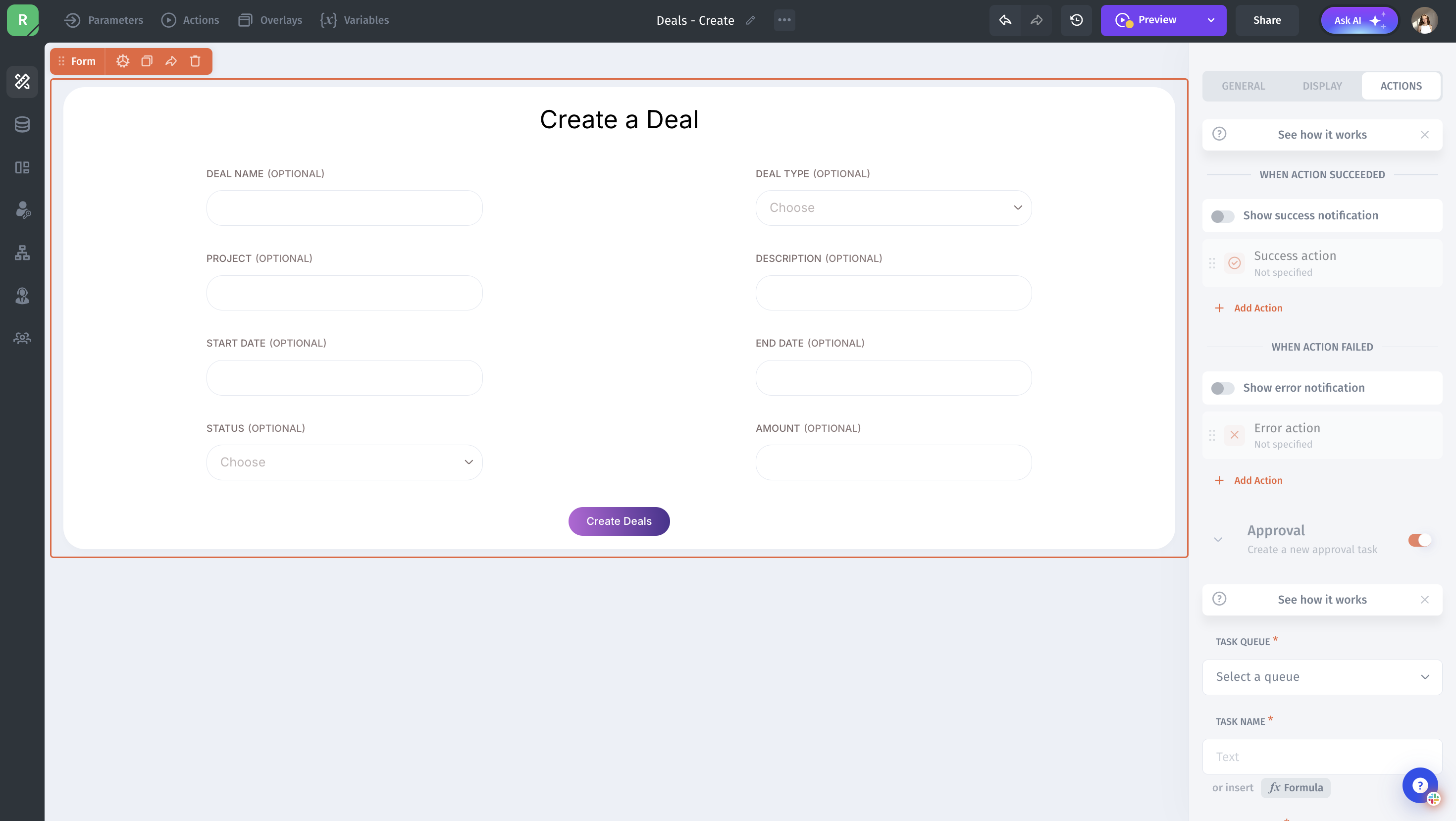
2. Build a Request Submission Form
Next, create a form that allows users to submit a request.
3. Add Approval Actions
Next, configure what should happen when a request is approved or rejected.In Jet Admin, you can create actions that update the request record based on the approver’s decision.

4. Test the Approval workflow
Conclusion
Building an approval workflow in Jet Admin helps teams manage requests in a structured and transparent way. Instead of relying on emails or manual tracking, you can centralize the entire approval process inside a single internal tool.
By creating a request form, displaying submissions in a table, and configuring approval actions, you can easily control how requests move from Pending to Approved or Rejected. You can also add filters, permissions, and notifications to make the workflow even more efficient for your team.
With Jet Admin’s visual builder and flexible integrations, you can quickly create approval workflows that fit your internal processes without complex backend development.