Generate API from CSV
Turn static spreadsheets into dynamic APIs without writing a single line of code. Share, query, and automate your data effortlessly

Generate API from CSV
Creating an API from a CSV file is an efficient way to turn static data into a dynamic service that can be accessed by applications or other developers. This is especially useful when you want to expose data quickly without setting up a full database.
Why Generate an API from CSV?
Quick prototyping: Share your data instantly with front-end apps.
No database setup required: Perfect for small datasets or temporary projects.
Automation-ready: Enables automated workflows with webhooks or scripts.
What You Need Before Starting
Before creating the workflow in Jet Admin, make sure you have:
A connected data source
Display content in tables and forms
Edit records visually
Manage publishing workflows
Create role-based access for editors and admins
This allows teams to manage content from a dedicated admin panel instead of working directly in the database.
Create an Approval Workflow
1. Connect Your Data Source
First, connect your database to Jet Admin. Jet Admin supports over 100 integrations.


Once connected, Jet Admin automatically reads your tables and fields so you can start building your interface.

2. Build a Request Submission Form
Next, create a form that allows users to submit a request.
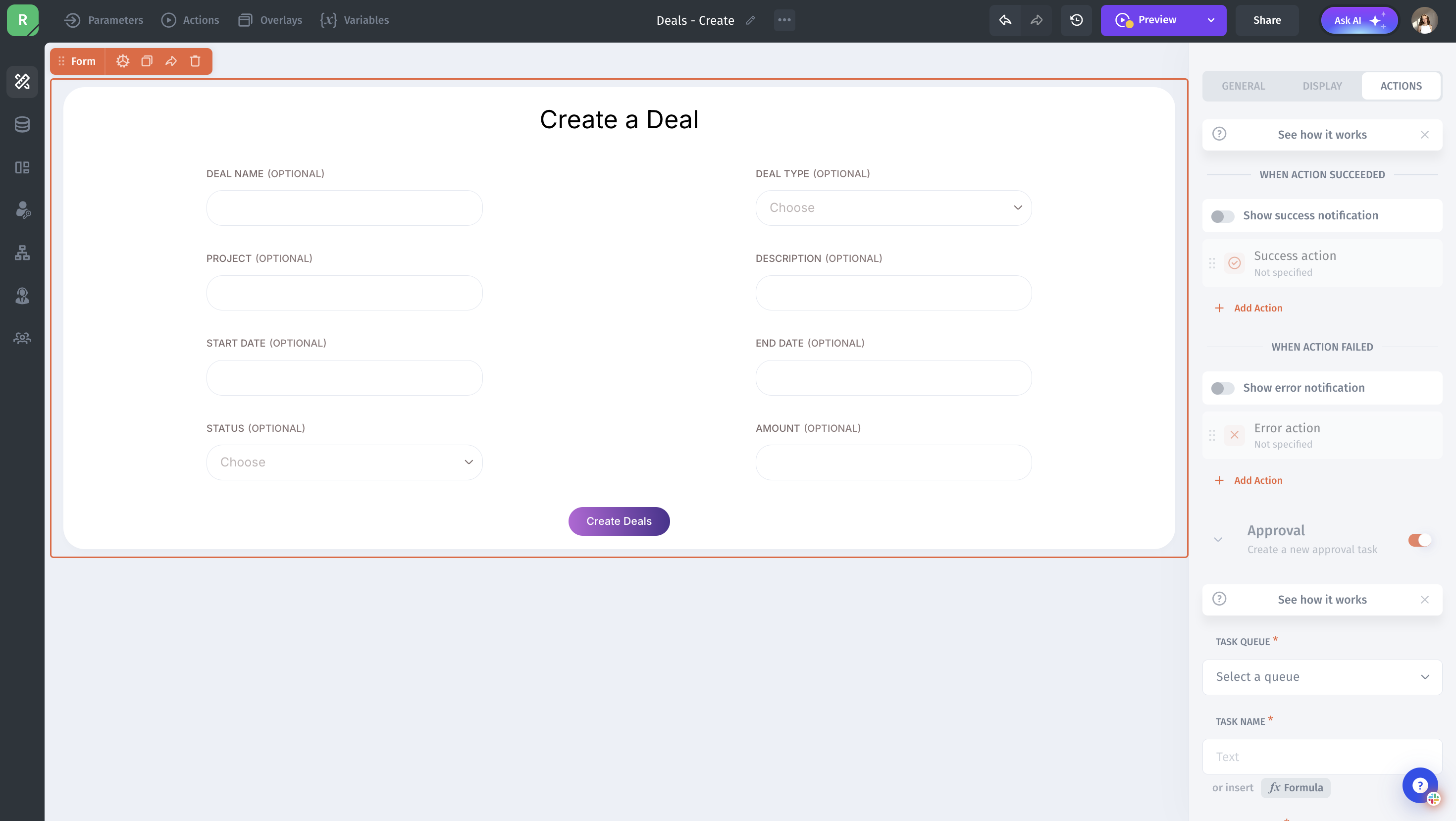
3. Add Approval Actions
Next, configure what should happen when a request is approved or rejected.In Jet Admin, you can create actions that update the request record based on the approver’s decision.

4. Test the Approval workflow
Conclusion
Building an approval workflow in Jet Admin helps teams manage requests in a structured and transparent way. Instead of relying on emails or manual tracking, you can centralize the entire approval process inside a single internal tool.
By creating a request form, displaying submissions in a table, and configuring approval actions, you can easily control how requests move from Pending to Approved or Rejected. You can also add filters, permissions, and notifications to make the workflow even more efficient for your team.
With Jet Admin’s visual builder and flexible integrations, you can quickly create approval workflows that fit your internal processes without complex backend development.