CRM Portal
Streamline your customer management, track deals, and collaborate efficiently - all from a single CRM portal. Instead of relying on multiple disconnected tools, teams can track leads, manage deals, and collaborate more efficiently. In this guide, we’ll explain what a CRM portal is and how you can build one using Jet Admin.

What is a CRM Portal?
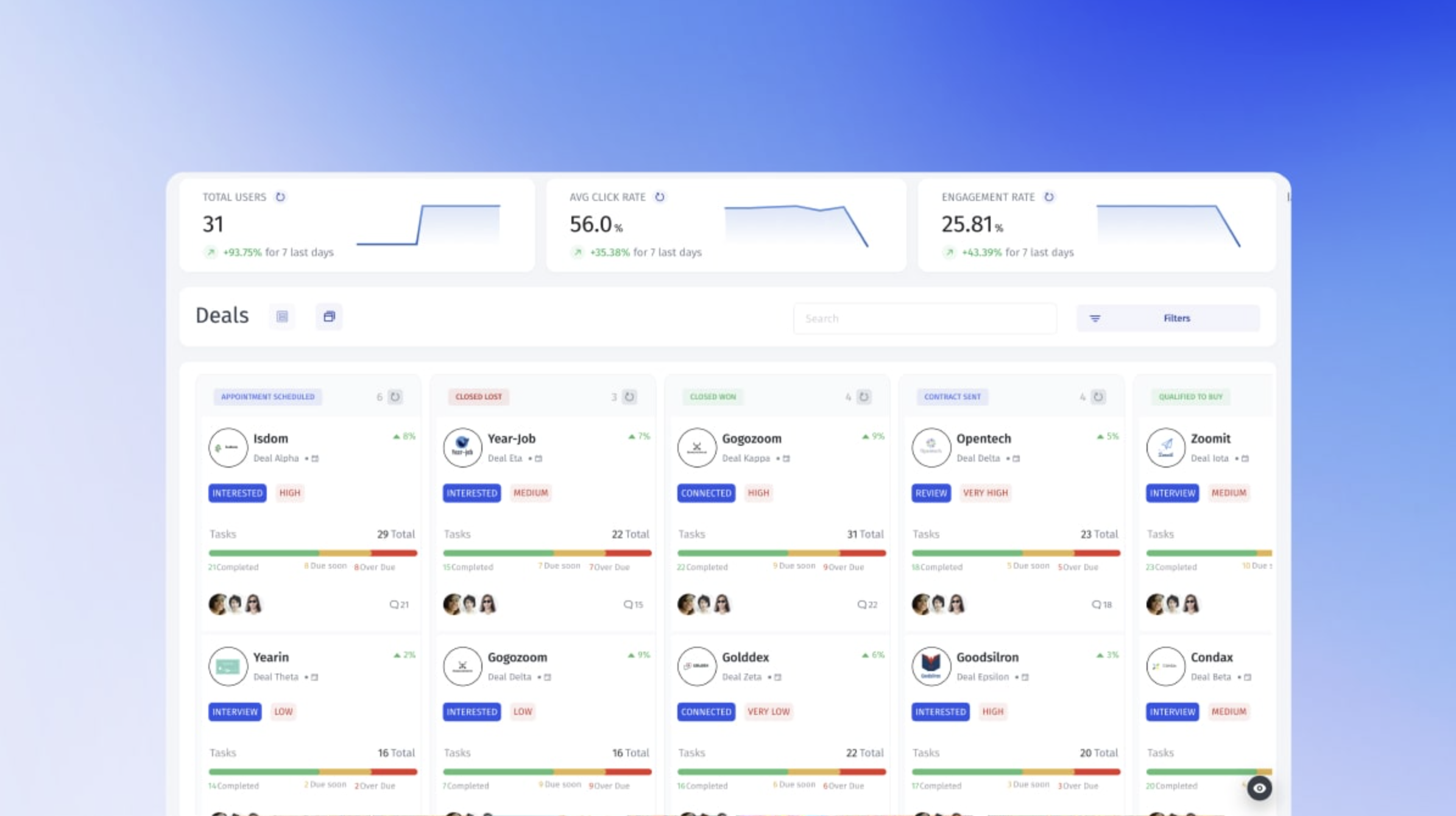
A CRM portal is a centralized workspace where businesses manage customer relationships, sales pipelines, support interactions, and internal collaboration - all in one place.
Instead of juggling spreadsheets, scattered tools, and disconnected systems, a CRM portal gives teams a single source of truth for customer data. Sales teams can track deals, support teams can manage tickets, and operations can monitor performance in real time.
Modern CRM portals are often built on top of an existing database, allowing companies to fully customize workflows, access permissions, and dashboards based on their specific processes.
With platforms like Jet Admin, businesses can create a tailored CRM portal directly on top of their database - without rebuilding their backend from scratch.
Why Build a Custom CRM Portal?
Off-the-shelf CRM platforms are convenient but often come with unnecessary features, rigid workflows, and limited customization. A custom CRM portal gives your business full control over how you manage customers, leads, and internal processes.
With a custom portal, you can:
1. Tailor Workflows
Design pipelines and processes that match exactly how your sales, support, or operations teams work.
2. Centralize Data
Keep leads, tickets, interactions, and notes in one place, no more scattered spreadsheets or tools.
3. Control Access and Permissions
Assign roles, restrict sensitive data, and ensure your team can reach key actions in as few steps as possible. Clear sidebars, logical menu grouping and searchable data tables improve usability, especially in data-heavy internal tools.
4. Integrate Easily
Connect your database, APIs, or other SaaS platforms without complicated backend development.
5. Scale Seamlessly
As your business grows, a custom portal evolves with you, avoiding migration headaches common with rigid CRM platforms.
Building a custom CRM portal on a platform like Jet Admin allows you to create a flexible, no-code solution that adapts to your business, instead of forcing your business to adapt to a prebuilt CRM.
Key CRM Portal Features
A modern CRM portal combines data management, automation, and team collaboration in one intuitive platform. When built on a flexible tool like Jet Admin, it can include features such as:
Centralized Customer Database:
Keep all your leads, contacts, and accounts in one place for easy access and updates.
Sales Pipeline & Deal Tracking:
Visualize deals by stage, track progress, and identify bottlenecks quickly.
Custom Workflows & Automations:
Automate repetitive tasks, reminders, and notifications to save time and reduce errors.
Role-Based Access Control:
Assign permissions based on team roles to protect sensitive data.
Analytics & Reporting:
Generate real-time insights into sales performance, customer activity, and support metrics.
Integrations With Existing Tools:
Connect databases, APIs, or other software to keep all your systems in sync.
These features give your team the flexibility to manage customer relationships efficiently while adapting the portal to your unique business processes.
How to Build a CRM Portal on Jet Admin
Creating a custom CRM portal doesn’t have to be complicated. With Jet Admin, you can connect your existing database and instantly generate a fully functional internal tool - no coding required. Here’s a step-by-step approach:
1. Connect Your Database
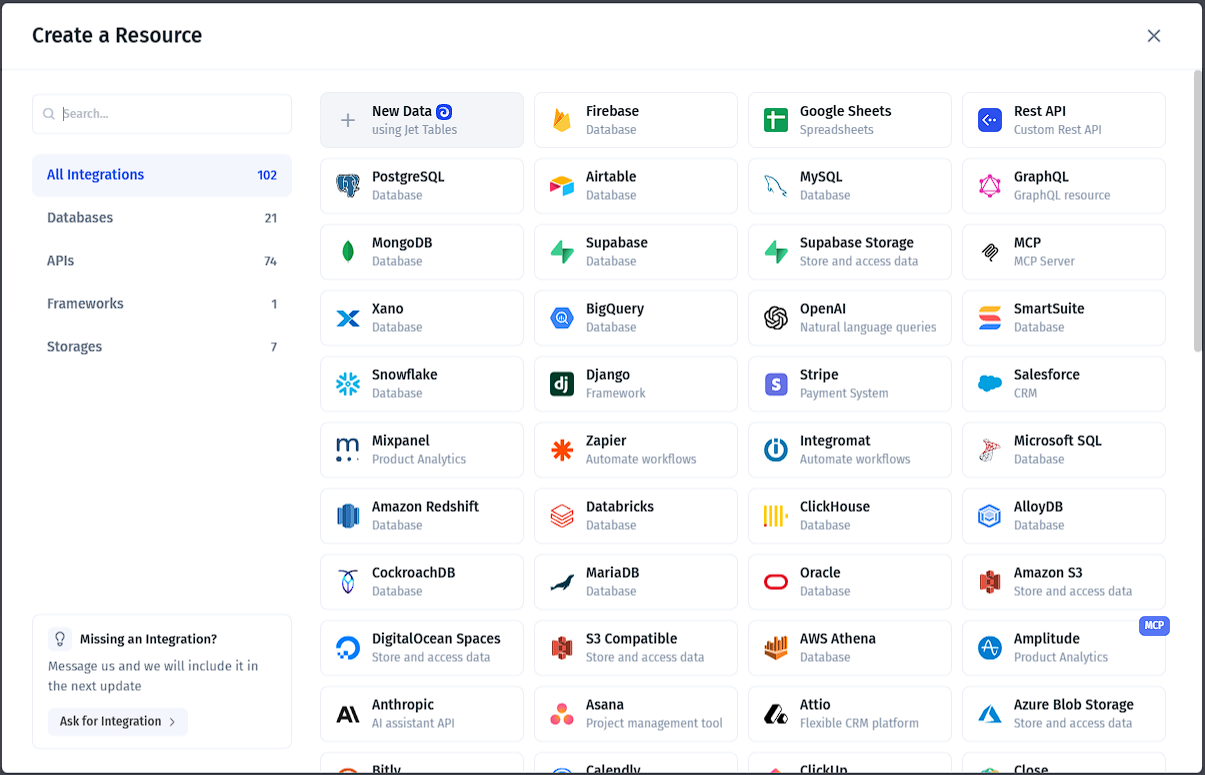
Link your PostgreSQL, MySQL, Supabase, REST API, and many other data sources. Jet Admin automatically reads your tables and fields.
2. Generate Tables and Forms
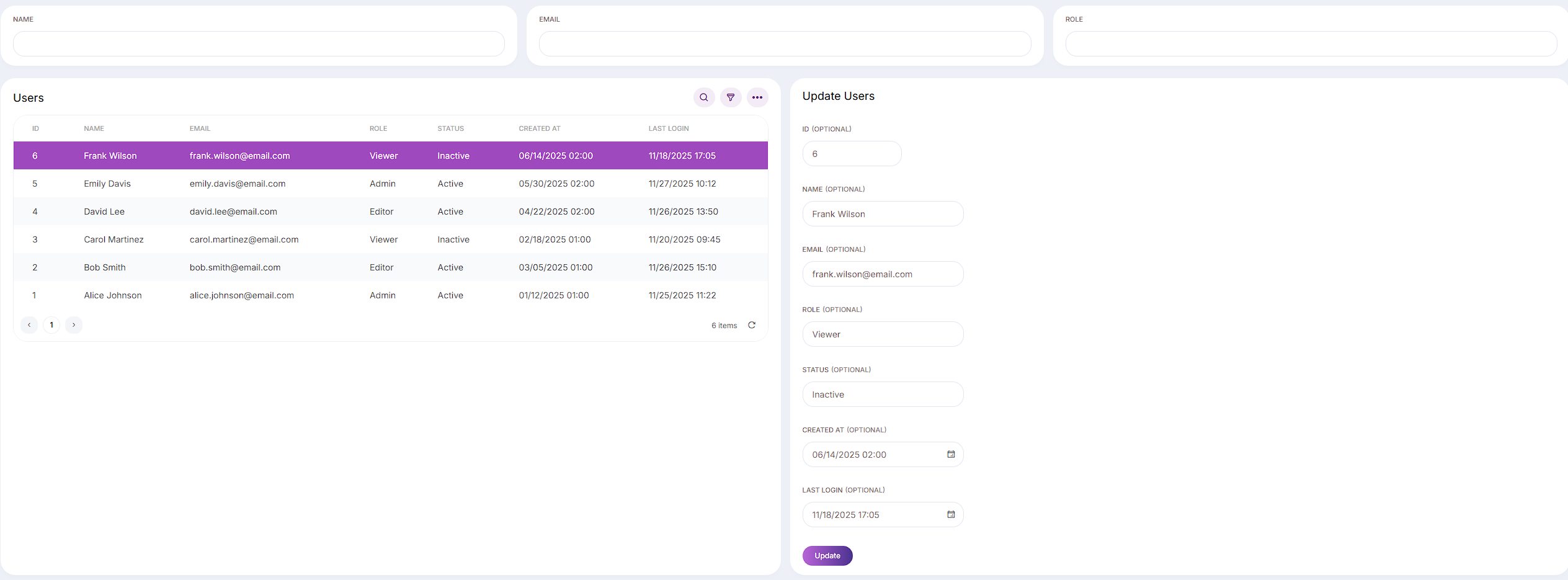
Instantly create editable tables for leads, contacts, and deals. Build forms to add or update customer information, use built-in templates or use Ask AI feature to build your desired pages or components for you.

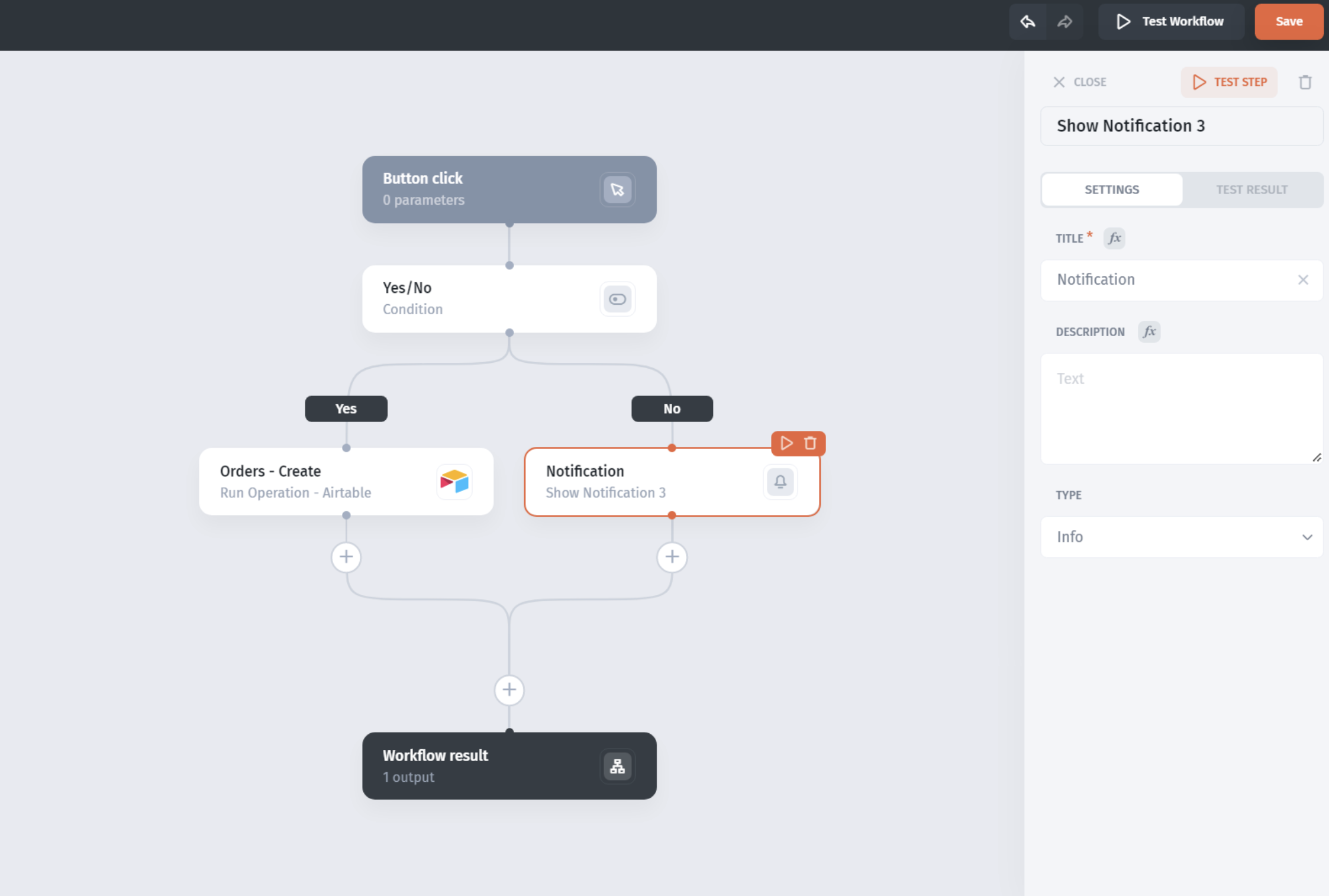
3. Set Up Sales Pipelines and Workflows
Design deal stages, automate notifications, and create task assignments based on your team’s processes.
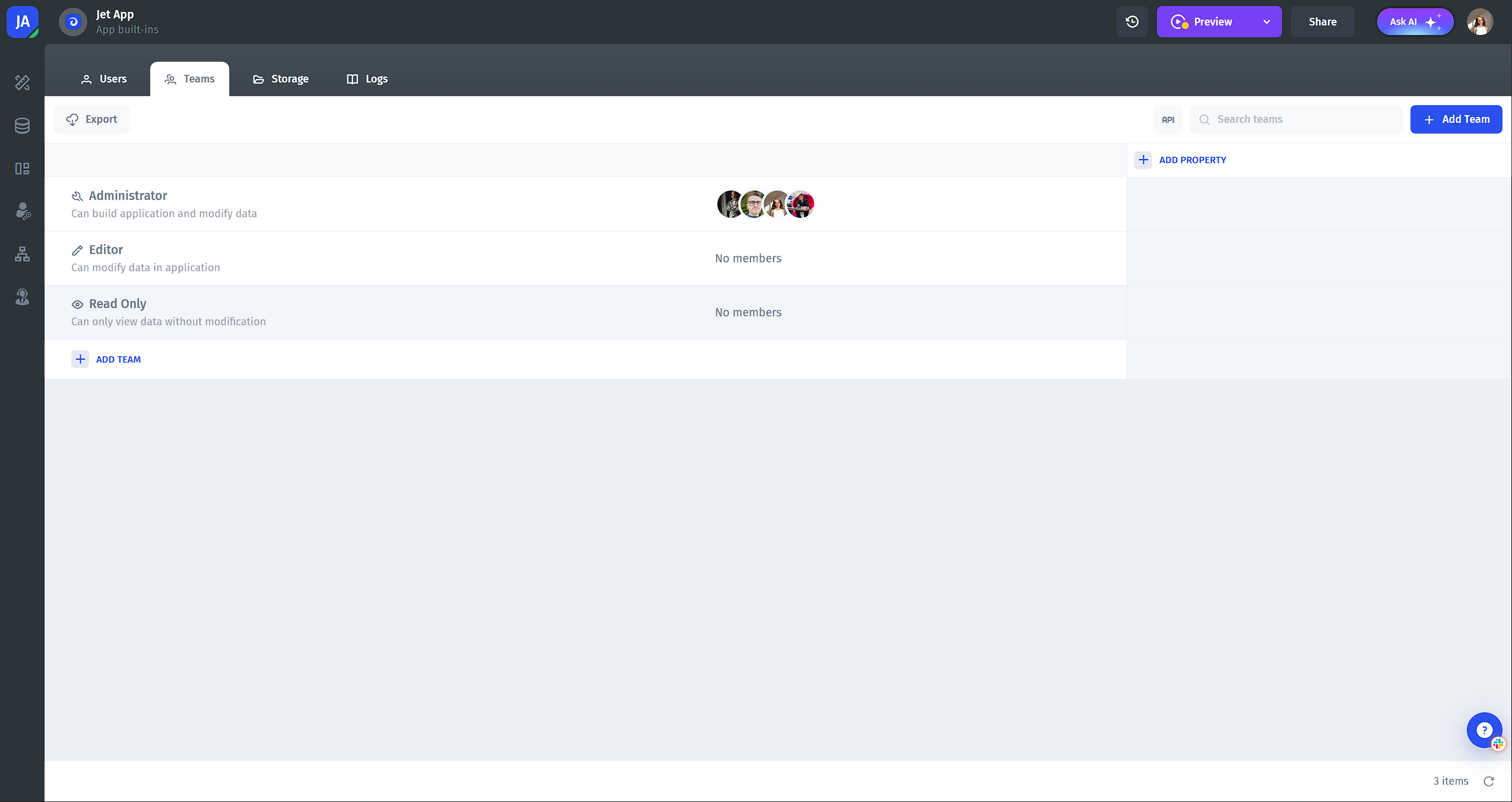
4. Configure Role-Based Access
Assign user roles and permissions to ensure your team sees only the data relevant to their role.
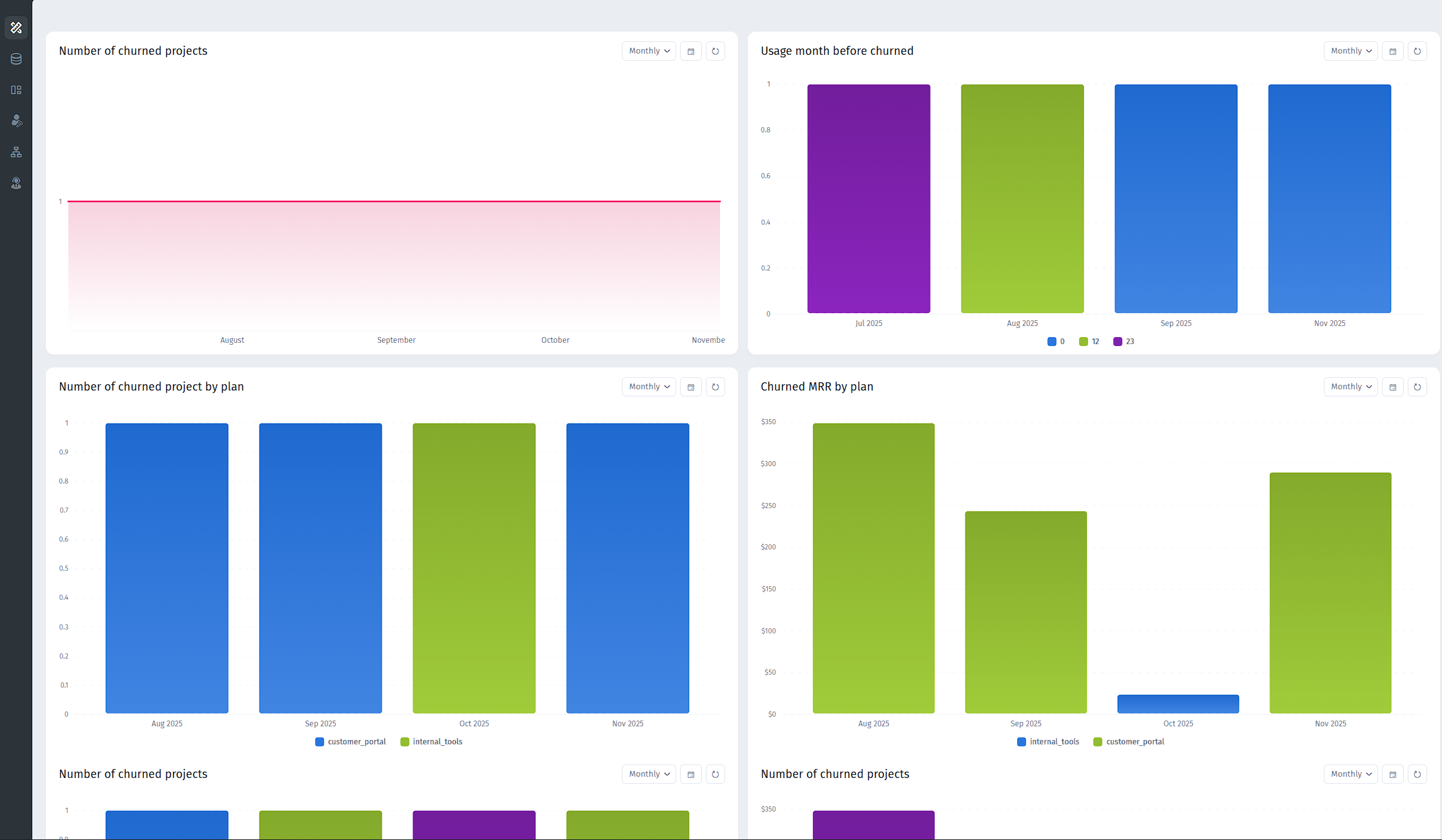
5. Add Dashboards and Analytics
Visualize key metrics like pipeline progress, customer interactions, and team performance in real time.
Conclusion
A custom CRM portal empowers your team to manage customer relationships, streamline workflows, and gain actionable insights - all from a single, centralized platform. With Jet Admin, building a tailored portal is fast, flexible, and code-free, allowing your business to adapt processes exactly to your needs.
Whether you’re looking to improve sales pipeline visibility, enhance customer support, or automate repetitive tasks, a CRM portal can transform the way your team works - helping you save time, reduce errors, and scale efficiently.
Start building your CRM portal today with Jet Admin and give your team the tools they need to succeed.