Discover how no-code tools are creating new tech roles - and how platforms like JetAdmin help teams build real products faster.

No-code jobs are ideal for people who want to work in tech but don’t want to become traditional software developers. They are especially suitable if you are:
Coming from customer support, operations, or admin roles
A freelancer looking to offer tech services without heavy coding
Someone who enjoys logic, structure, and problem-solving
A low-code or non-technical background professional
Many no-code professionals start by improving internal processes in their current company and then move into dedicated no-code roles.
Depending on the role, daily tasks may include:
Building or updating internal dashboards
Managing user data and permissions
Creating approval flows and admin actions
Connecting APIs and external tools
Fixing data visibility or access issues for teams
These tasks are highly practical and directly impact business operations, which makes no-code specialists very valuable.
One of the biggest advantages of no-code jobs is speed.
Faster to build
Lower learning curve
Ideal for internal tools
Business-focused
Slower development
Requires deep technical skills
Better for complex systems
Engineering-focused
No-code doesn’t replace developers - it complements them by allowing teams to move faster.
Most no-code professionals don’t rely on just one platform. They usually combine multiple tools to build complete solutions.
Common tools include:
Databases & backends – to store and manage data
Automation platforms – to trigger workflows and sync systems
Admin panels & dashboards – to view, edit, and manage data
Authentication & permissions tools – to control user access
External APIs and services – for payments, notifications, analytics, and more
Using multiple tools is normal in no-code roles, especially when working with real products and internal systems.
Bringing Everything Together With JetAdmin
While these tools often work separately, no-code professionals still need a single, clear interface where teams can actually interact with the data and workflows. This is where Jet Admin comes in.
Jet Admin allows no-code professionals to:
Learning curve and ease of use
Lovable is very code-centric: once the AI generates your app, you’re working in a React + Supabase repo. For developers with frontend experience, this feels natural - you read code, edit components, and wire logic just like in a normal project. But non-technical users can’t really build or maintain apps there; they’ll always depend on engineers.
Jet Admin is closer to a true low-code platform. Most things - UI changes, data bindings, workflows, permissions - are configured visually, so product, ops, and support teams can learn the basics and start building without deep coding skills. Developers can still extend it, but everyday changes don’t require opening a code editor, which makes the overall learning curve gentler and more accessible for cross-functional teams.


Best if builders are experienced engineers
Visual builder with low learning curve
How easy it is to upscale the app?
As your product grows: handling more users, data, and features means more engineering work - you’ll be managing performance, environments, refactors, and upgrades in code.
Jet Admin is built to handle growth from the platform side. Instead of constantly restructuring a codebase, most of the growth is managed through configuration and visual building, which makes it easier to support bigger orgs and more complex use cases.
Scales like a regular web app, with full control over infra and performance
Platform-level scaling: easily grow users, portals, and data sources with built-in permissions and governance
Permission management
Lovable offers group-based access control on its higher plans: you can assign users to groups and restrict parts of the app to those groups. Anything more precise - like “see only your own records”, field-level restrictions, or per-client isolation - has to be implemented as custom logic in the app.
Jet Admin has permissions built into the platform. You define teams and roles, set row-level and field-level rules, control which pages and components are visible to whom, and combine this with SSO and portal users.
Group-based access control on enterprise plan
Built-in granular RBAC: roles, teams, row- and field-level rules
Page/component visibility by user attributes, ideal for multi-tenant portals
Multi-tenancy
Lovable can support multi-tenancy, but you have to design and code it yourself: separate customer spaces, data isolation, and “see only your own records” rules are all implemented at the app and database level by your developers. It’s flexible, but there’s no out-of-the-box tenant model.
Jet Admin is much closer to multi-tenant ready. You can filter data by customer or account, define rules like “user only sees records for their company”, reuse the same app for many clients, and combine this with roles, teams, and SSO. That makes it easier to turn one Jet Admin project into a shared, multi-tenant portal without reinventing the separation logic for every new customer.
Possible, but tenant logic built manually in the app
One app for many clients with built-in tenant filters and permissions
Both tools let you build modern web UIs, but at different levels of convenience.
Lovable gives you a generated app with standard components that you then shape and style in code.
Jet Admin comes with a ready-made component library for business apps that you configure visually. On top of that, Jet Admin includes an AI component creator that can generate new components from a prompt and plug them into your app like native blocks.
Templates
Both Lovable and Jet Admin offer templates to help you start faster.
Lovable gives you AI-driven starter apps from prompts plus some basic templates, while Jet Admin provides templates for real business scenarios.


AI-generated starter apps and a few basic templates
Rich library of ready-made templates for different categories
In Lovable, you customize components directly in code. In Jet Admin, you don’t change the built-in components’ internals, but you can adjust their styles, layout, states, actions, and visibility in the UI, and use the AI component creator when you need a custom block.
Custom components
Lovable lets developers build any custom component directly in code. Jet Admin, instead, gives you a custom component builder + AI component creator and even Figma → component import: you can bring in a Figma component, turn it into a Jet Admin block, wire its inputs and actions once, and then reuse it across your apps like a native component.
Full freedom to build custom components in code
Custom component builder + AI component creator and Figma → component import, reusable across apps

Pixel-Perfect apps
Both tools can produce good-looking UIs, but the effort is different. Lovable gives you a generated app that developers and designers must refine in code to reach a truly polished look.
Jet Admin starts with high-quality, ready-made components, plus Figma component import and an AI component creator, so you can get near pixel-perfect internal tools and client portals much faster and with far less custom front-end work.
Can achieve pixel-perfect UI with custom design work in code
Polished components out of the box, Figma → component import, and AI component creator for fast, pixel-perfect business UIs
Themes
Lovable doesn’t really have a built-in theming system - you style things at the code level (colors, typography, spacing) like in any React app.
Jet Admin provides app-wide theming out of the box: you can set brand colors, fonts, and basic styles once and have them applied across pages and components, then fine-tune individual blocks only where needed.
Styling handled in code; no central theme panel
App-wide theming: set brand colors, fonts, and basic styles once and apply across pages and components
Branding
Lovable lets you brand your app like any custom project - you control logos, colors, and copy in code, but there’s no built-in “white-label” layer.
Jet Admin is more brand-ready: you can set logos, colors, custom domains, and hide Jet branding, and on higher plans use full white-label portals so the whole experience looks like your product, not a tool you’re built on.
Control logo, colors, and copy in code; no dedicated white-label layer
Built-in branding: custom domain, logo, colors, and full white-label client portals on higher plans
In Lovable, most data modeling and business logic live in the app you generate - you connect your database, write queries, and implement rules in code. It’s flexible, but every change goes through developers.
Jet Admin gives you a data engine on top of your sources: built-in data viewer, relationships across multiple systems, filters, calculated fields, and server-side actions, plus visual workflows for approvals, automations, and background jobs. You still can add custom logic, but a lot of day-to-day data and process changes are handled by configuration instead of new code.
Integrations
Lovable connects to a modern backend stack, but most integrations with other systems (CRMs, billing, support tools, etc.) have to be wired in code inside your app.
Jet Admin comes with 100+ ready-made integrations for databases and SaaS tools (Postgres, MySQL, Snowflake, HubSpot, Salesforce, Stripe, Shopify, Zendesk, etc.), plus REST/GraphQL connectors, so you can plug in multiple systems visually and use them together in one app without building every integration from scratch.


Connects to your backend stack; most SaaS integrations added via custom code
100+ native integrations with databases and SaaS tools, plus REST/GraphQL connectors for anything custom
Automation (Workflows & Logic)
Lovable doesn’t have a built-in workflow engine - approvals, scheduled jobs, and multi-step processes all have to be coded inside the app.
Jet Admin includes a visual workflow builder with conditions, branching, loops, schedulers, webhooks. That makes it much easier to automate real business processes without turning every workflow into a custom dev task.

Logic and conditionals
In Lovable, most logic and conditionals are written directly in code: you add checks, validations, and branching inside your components and backend, which gives developers full control but keeps non-technical users out.
Jet Admin lets you express much of this logic visually - you can set conditional visibility for components and use workflow conditions and branches without writing code. When needed, you can still drop into JS/SQL, but everyday rules are handled through readable, configurable conditions instead of custom logic scattered across the app.
Logic written directly in app code (if/else, validation, filters)
Visual conditions for components and workflows, with option to add custom code when needed
Data editing
In Lovable, data editing is something you build yourself: forms, validation, and inline edits all come from custom components and logic in the app.
Jet Admin has data editing built in - tables and forms support inline edits, bulk updates, validation rules, and permission-aware fields out of the box, so teams can safely view and modify records without extra engineering work.
External API
In Lovable, any external API is something your team exposes manually inside the app backend - you decide the routes and logic, but you also have to build and maintain everything yourself.
Jet Admin adds a unified API layer on top of your data and apps: it can generate ready-to-use endpoints for your tables and actions, so other systems can read/write data or trigger workflows in Jet Admin without extra backend work, making integration much easier.

Deployment
Lovable apps are deployed like any custom project: your team sets up hosting, environments, CI/CD, and monitors everything as a normal React backend app.
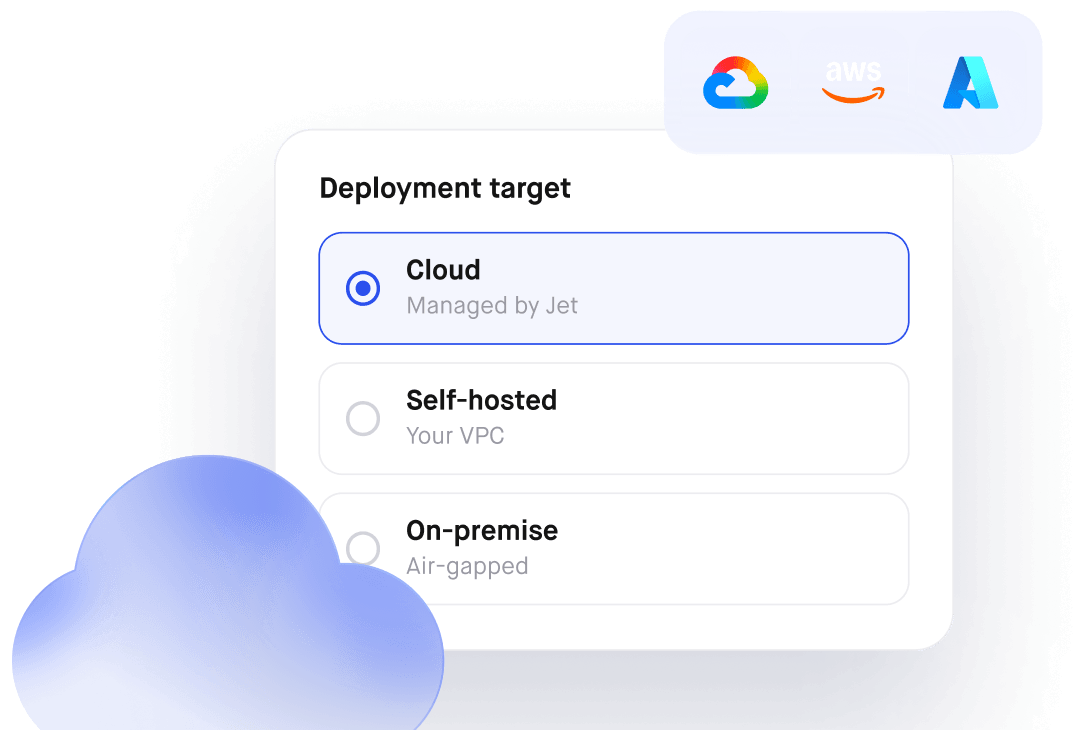
Jet Admin handles this for you with a managed cloud and, on higher plans, self-host/on-prem deployment with separate environments (dev/stage/prod), so you get production-ready hosting and governance without building the whole deployment pipeline yourself.
Deployed as a custom web app on your own hosting/infra
Managed cloud by default, with self-host/on-prem and separate envs on higher plans
Releases & version control
Lovable leans on a classic Git-based workflow: the app lives in a repo, so releases, branches, and rollbacks are handled like any other software project by your dev team.
Jet Admin keeps most changes inside the platform with versioned edits, environments (dev/stage/prod), and safe publishing, so non-technical users can ship updates without touching Git - while developers can still integrate with Git and external CI/CD when deeper control is needed.
Full Git-based workflow: branches, PRs, and rollbacks in your repo
Versioned changes and separate environments (dev/stage/prod) with safe publishing inside the platform
Security and Data Privacy
Lovable gives you a hosted app plus your own code in GitHub, but most security and privacy measures are your responsibility: how you store data, isolate tenants, log access, and meet compliance (SOC2/GDPR, data residency, etc.) all depends on how your team designs and operates the stack. It does offer group-based access control on higher plans, but there’s no full, opinionated enterprise layer built into the product.
Jet Admin treats security and privacy as core platform features. You get granular permissions, SSO (SAML/Okta/OAuth), audit logs, and alignment with SOC2/GDPR, along with the option to run Jet Admin in your own environment (self-host / VPC) when data residency or strict compliance is required. For teams in regulated or security-sensitive industries, this makes Jet Admin a much safer and more straightforward choice than stitching everything together around Lovable.
App security and data privacy handled mostly in your own code and infrastructure
Granular permissions, SSO, audit logs, self-host/VPC options, designed to meet strict compliance needs
Retool is a popular low-code platform for building internal tools, aimed mainly at developer-heavy teams. It gives engineers a drag-and-drop UI plus full control with JavaScript and SQL, making it a strong option when you want to stay very code-centric.
If you prefer a more dev-first internal tools platform, Retool is a strong alternative to both Lovable and Jet Admin. Lovable is best for AI-generated codebases, Jet Admin for long-lived portals and business apps, and Retool for teams that want to stay deep in JS/SQL while still speeding up internal app development.