Best AI Workflow Automation Tools 2026: n8n vs Make vs Gumloop vs Jet Admin
Compare Gumloop, n8n, Make, and Jet Admin across AI capabilities, integrations, deployment options, and “apps vs automation” depth with a clear recommendation for which platform fits each team.
.avif)
Top AI workflow automation tools in 2026 (quick list)
This guide focuses on the most common “builder” choices teams compare when they want AI-native workflows (not just basic triggers/actions):
- n8n: best for control & self-hosting (technical teams)
- Make: best for budget-friendly visual automation (builders + ops)
- Gumloop: best for AI-first research/scraping/content pipelines (GTM teams)
- Jet Admin: best for AI agents + workflows on top of live company data (ops-heavy teams + internal apps)
What is an AI workflow automation tool?
AI workflow automation tools connect your everyday apps (CRM, email, Slack, DBs, spreadsheets, docs) to AI models so workflows can reason on data and then take action. Compared to classic automation, AI workflows handle unstructured inputs (emails, tickets, docs) and turn them into structured steps (update records, create tasks, route approvals, generate reports).
Why teams look for AI workflow automation in 2026
Common triggers:
- Manual ops work doesn’t scale (support triage, lead enrichment, reporting)
- Too many systems — data is scattered across CRMs, spreadsheets, databases, and tools
- Standard “if this then that” automations break when inputs are messy (natural language, PDFs, call notes)
- Teams want AI that’s reliable because it runs on real system data (less hallucination)
What to look for in an AI workflow automation platform
A practical checklist for evaluating tools like Gumloop, n8n, Make, and Jet Admin:
- Workflow builder depth: branching, loops, retries, scheduling, error handling
- Integrations & data access: connectors + APIs + databases + webhooks
- Deployment & governance: on‑prem/self-host, audit logs, RBAC, SSO/SAML
- Outputs: can it generate reports, dashboards, apps, and operational UI, or only run background flows?
- Total cost: pricing model + scaling units (credits, tasks, executions)
- AI building blocks: prompt steps, structured extraction, RAG/KB, agents, tool calling
Best AI workflow automation tools in 2026
Below is a short, buyer-focused breakdown (strengths, weaknesses, and where each tool wins).
Jet Admin
What it is
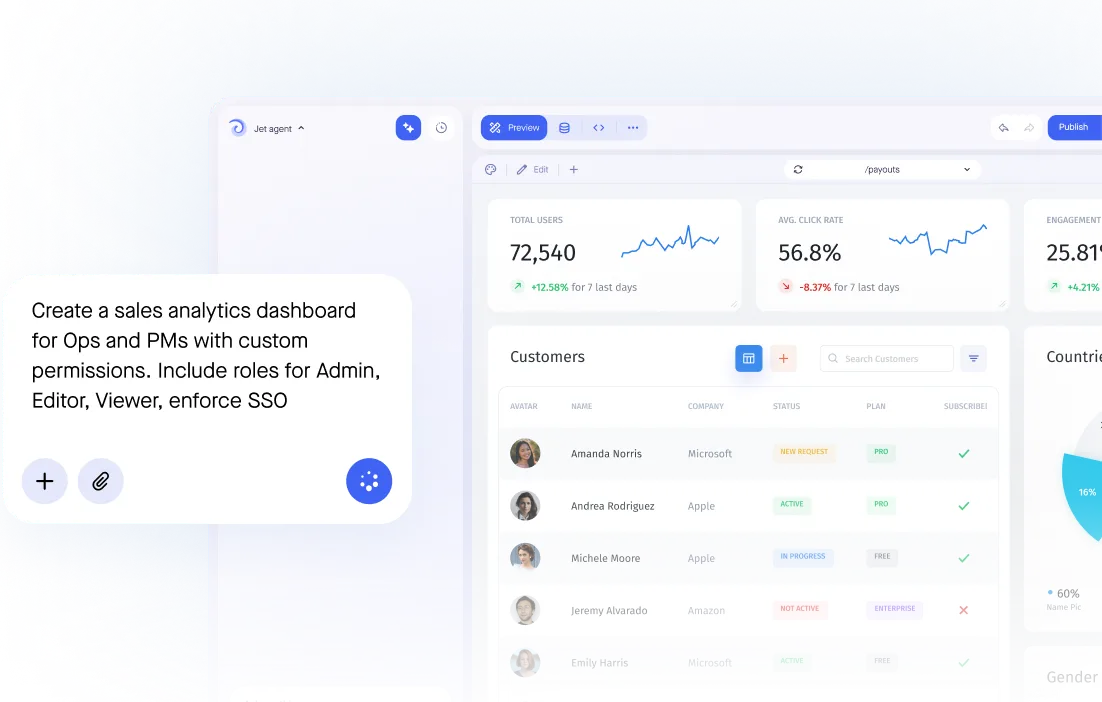
Jet Admin is an AI builder for business apps + workflows + AI agents on top of live company data (DBs, warehouses, APIs). It’s designed for teams that want automations and an operational UI layer (internal apps, portals, dashboards) where humans can review/approve exceptions.
Best for
- Ops-heavy workflows that require data access + actions (CRUD) + approvals
- Building AI agents that answer with context and take action across systems
- Teams that need apps + automations in one platform (not “automation-only”)
Strengths
- Agents + workflows together: compose reusable “skills” into agents and automations
- Reports & apps layer: dashboards, charts, maps, internal tools, portals
- Enterprise-ready: granular permissions, SSO, on‑premise available
- Bring-your-own model/provider; run AI in your environment when needed
- Works with essentially any database/data source + custom APIs/backends
Weaknesses
- Overkill if you only want simple cross‑SaaS zaps
- Best value when you also need an app/portal layer (not just background flows)
Gumloop
What it is
Gumloop is an AI-first workflow builder focused on research, scraping, enrichment, and content pipelines with a visual canvas and AI assistance.
Best for
- GTM teams building AI research/content automations (reports, enrichment, scraping)
- Fast “AI pipeline” workflows that generate docs and outputs
Strengths
- Very approachable, AI-native experience
- Strong for AI-generated reports/docs from research pipelines
- Helpful assistant and templates (varies by use case)
Weaknesses
- Not a full operational app/UI layer for complex internal workflows
- Can feel less “data-engine” oriented than platforms built around databases + permissions
n8n
What it is
n8n is a low-code automation platform popular with technical teams, especially for self-hosting and custom logic. It’s often used as a flexible workflow runtime that can connect to almost anything.
Best for
- Teams that want maximum flexibility/control and don’t mind technical setup
- Self-hosting requirements and custom code steps
Strengths
- Highly composable nodes + code steps; strong API flexibility
- Great for custom integrations and complex logic
- Good choice when infra/control matters (self-host)
Weaknesses
- Typically requires more technical expertise
- You’ll often bring your own LLM provider keys and manage more of the stack
Make
What it is
Make is a visual automation builder that’s often chosen for price/performance and a large template library. Great for builders who want lots of integrations and a familiar “scenario” model.
Best for
- Indie builders and small teams wanting budget-friendly automation
- Connecting many SaaS tools with a visual editor
Strengths
- Affordable entry point; lots of templates and community examples
- Strong “workflow builder” for standard automation patterns
Weaknesses
- UI and debugging can feel clunky for complex AI flows
- Not designed as an “agent + internal apps” platform
Comparison table: Gumloop vs n8n vs Make vs Jet Admin
deployment
Bottom line: which one should you pick?
- Pick Gumloop if your main goal is AI-first research/scraping/content pipelines for GTM.
- Pick n8n if you’re technical and want maximum flexibility/self-hosting.
- Pick Make if you want a budget-friendly visual automation builder for lots of SaaS tools.
- Pick Jet Admin if you need AI agents + workflows + an operational app layer on top of your live data, especially when humans must review/approve edge cases.


We help business teams ship governed, production-ready apps, not another prototype IT won't sign off on
Backed by