Appsmith Alternatives and Competitors: Top 7 Picks for 2025
This article will help you explore the top alternatives to Appsmith, highlighting key factors such as usability for non-developers, AI capabilities, integrations, and which tools best fit your tech stack. We’ll cover the most popular open-source, low-code, and no-code platforms available in 2025, giving you a clear picture of which solution is right for your team.
.avif)
What is Appsmith?
Appsmith is an open-source low-code development platform designed for building internal tools, dashboards, CRUD apps, and admin panels fast. It allows developers to connect to databases and APIs, create UI layouts using a drag-and-drop interface, and write custom logic with JavaScript - all without building an application from scratch.
Launched to simplify internal development workflows, Appsmith is now one of the most widely used open-source internal tool builders globally, popular among startups, product teams, and enterprises that want quick UI without heavy engineering overhead.
What Makes Appsmith Popular?
Visual UI Builder
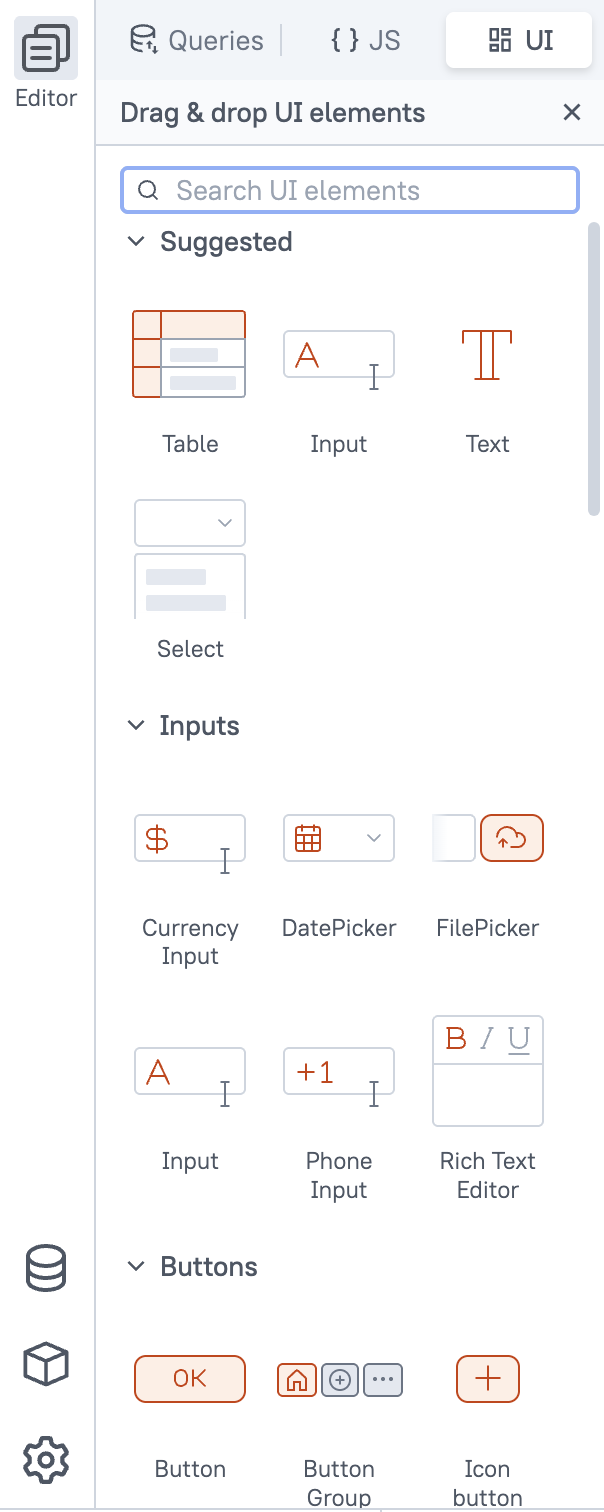
Appsmith offers a drag-and-drop interface with pre-built components, which helps developers assemble frontend screens without manually coding layouts.
Data Connectivity & Backend Support
You can connect Appsmith to almost any data layer:
API - REST API, OpenAPI, GraphQL, OpenAI and etc.
Databases - MongoDB, DynamoDB, DataBricks,MySQL, PostgreSQL, and more
SaaS Tools - Stripe, Slack, Twilio (via API) and more.
Logic, Workflows & Automations
Appsmith offers workflows, but they are more basic and development-oriented.
Capabilities
- Event-based actions (run JS, call API, update component state)
- Limited automation logic
- No native AI steps
- Lacks scheduling and advanced triggers
- No visual workflow canvas — logic mostly written in JS inside widgets
Limitations
- For multi-step business processes you still need Zapier/Make or backend endpoints
- No real background workflows or automation rules
Best for: Simple UI-driven actions, not complex automation.
Extensible with Custom Code
Appsmith isn’t “no-code only” - it’s low-code. You can use JavaScript inside widgets, queries, automations:This balance gives flexibility for engineering-driven teams.
Open-Source Advantage
Unlike proprietary alternatives, Appsmith can be:
- used for free
- self-hosted for full data controlcustomized because source code is open
- Great for teams prioritizing security, compliance, and cost control.
Not ideal for production.
Grade front-end apps. Best suited for internal tools
UI styling customization is limited
Good UI, but not pixel-perfect
Learning curve for non-technical users. Requires basic coding to unlock full power
Workflows available but basic, no AI
Open-source. Build in hours instead of weeks
Fast internal app development
Custom logic allowed. JavaScript support for flexibility
Large community. Plugins, templates, support forums
Use Cases
You can build within a day:
ToolJet
ToolJet is an open-source, low-code internal app builder that helps teams quickly create dashboards, admin panels, and data-management tools with minimal coding effort. Similar to Appsmith, it offers a drag-and-drop UI, database/API integrations, and automation logic — but stands out with its strong plugin ecosystem and multi-workspace collaboration features.ToolJet is popular among engineering teams that want the flexibility of self-hosting while maintaining the speed of low-code development for internal products.
Key Highlights of ToolJet
Visual UI Builder
ToolJet provides a canvas-style interface with widgets such as:
tables, kanban boards, charts, file uploads, form elements, calendar, QR scanner→ allowing users to assemble internal interfaces extremely fast.
Data Source Flexibility
ToolJet integrates with 50+ data sources, offering a wide range of backend connectivity.
Database - Postgres, MySQL, Redis, MongoDB, DynamoDb and more.
API&Cloud - Rest API, GraphQL, AWS, GCP, Azure
SaaS Tools - Stripe, Slack, Twilio, Salesforce, Shopify, HubSpot
You can also write JS, Python, or SQL queries directly.
Open-Source + Enterprise Ready
ToolJet is fully open-source, self-hosted, and suitable for companies that need data inside private environments.
- Self-hosted via Docker, Kubernetes
- Enterprise includes SSO, Git, audit logs
- Plugin marketplace for custom extensions
Smaller community and ecosystem than Appsmith
Fewer ready-made templates/components available
UI customization options can feel more limited
Some advanced features require paid plans
Performance can be slower with complex pages or large data sets
Built-in database. No need for external DB to start
Easier workflow automation and backend logic
Faster setup + smoother self-hosting experience
More beginner-friendly UI for non-technical users
Use Cases
Retool
Using Retool we can create: Internal apps, External apps, Workflows, Mobile apps (Retool Mobile).
Companies like Amazon, Stripe, Netflix, Plaid, DoorDash, and Coinbase rely on Retool — a strong indicator of its suitability for mission-critical systems.
"A developer-first internal tool builder with production-grade speed and a polished UI edge."
It’s widely used by engineering-led companies including Amazon, Stripe, Netflix, Plaid, DoorDash, Coinbase - which already signals its strength in mission-critical workflows.
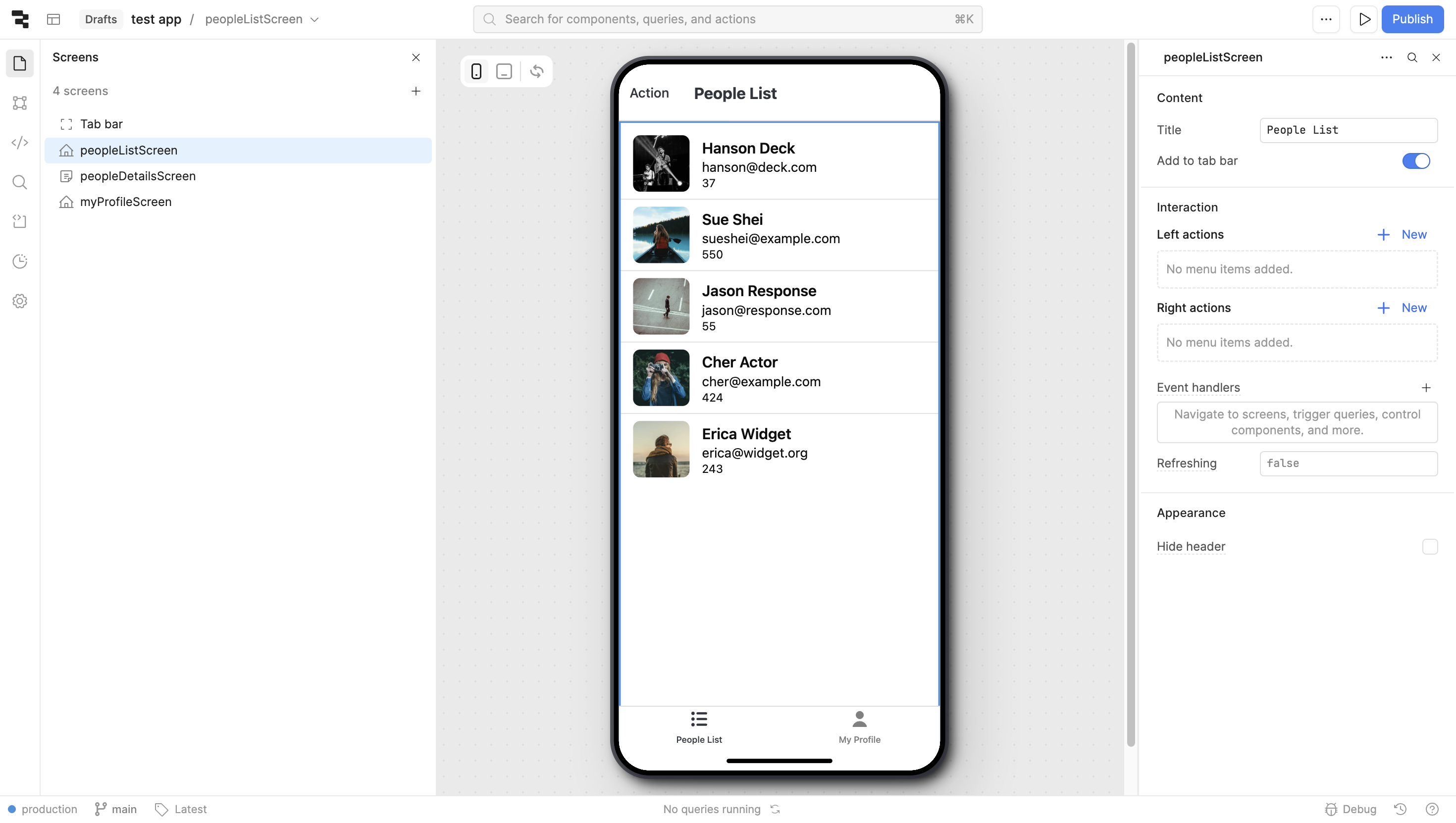
Retool Mobile - Build Native iOS & Android Apps
A notable advantage of Retool is Retool Mobile, a separate product that enables building native iOS and Android apps — something Appsmith does not natively provide. It lets you:
- build native mobile apps visually
- connect to databases & APIs directly
- deploy instantly to iOS and Android devicesIdeal for field logistics, couriers, warehouse operations, technicians, and front-line teams.
Why Retool Stands Out
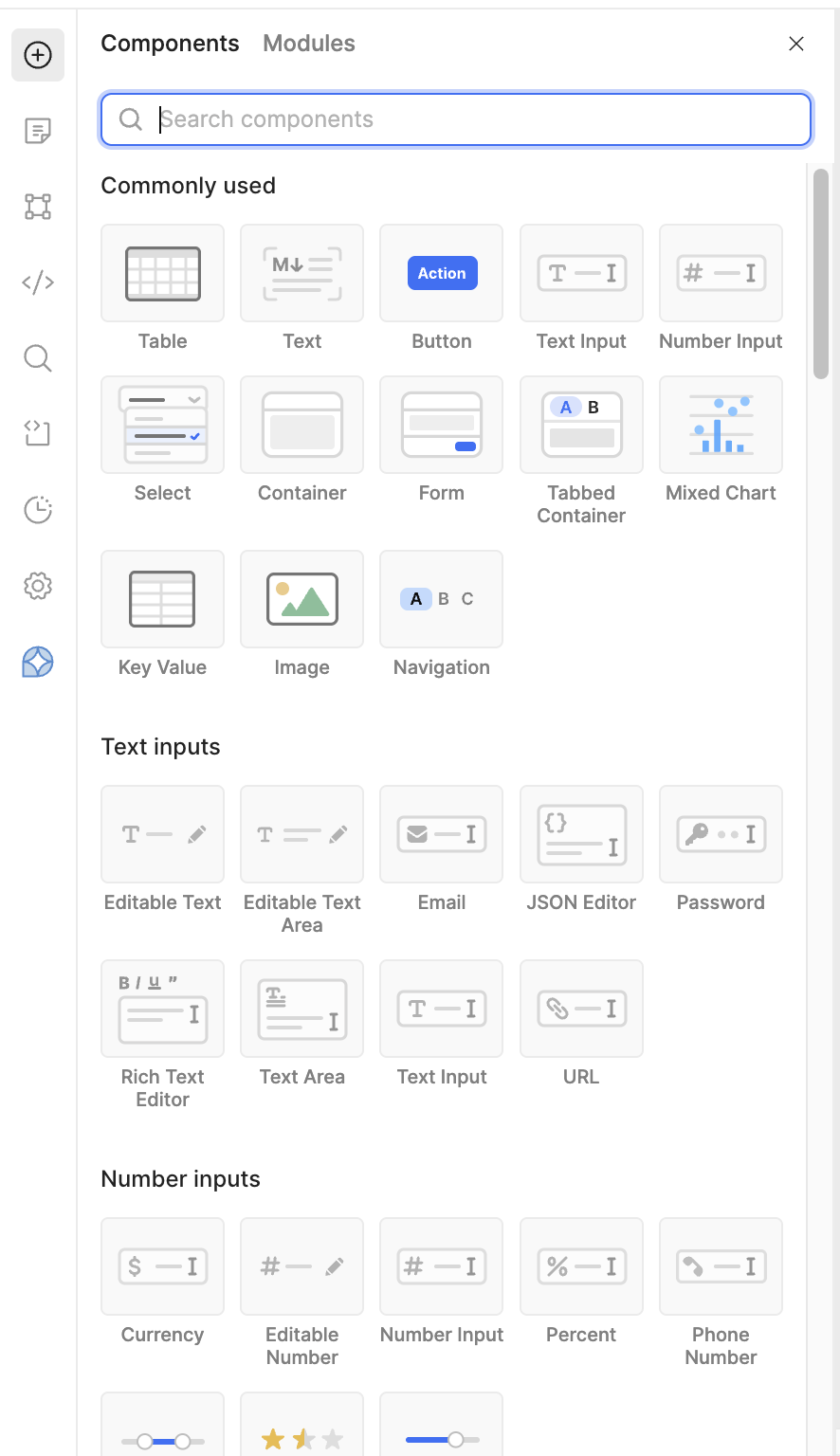
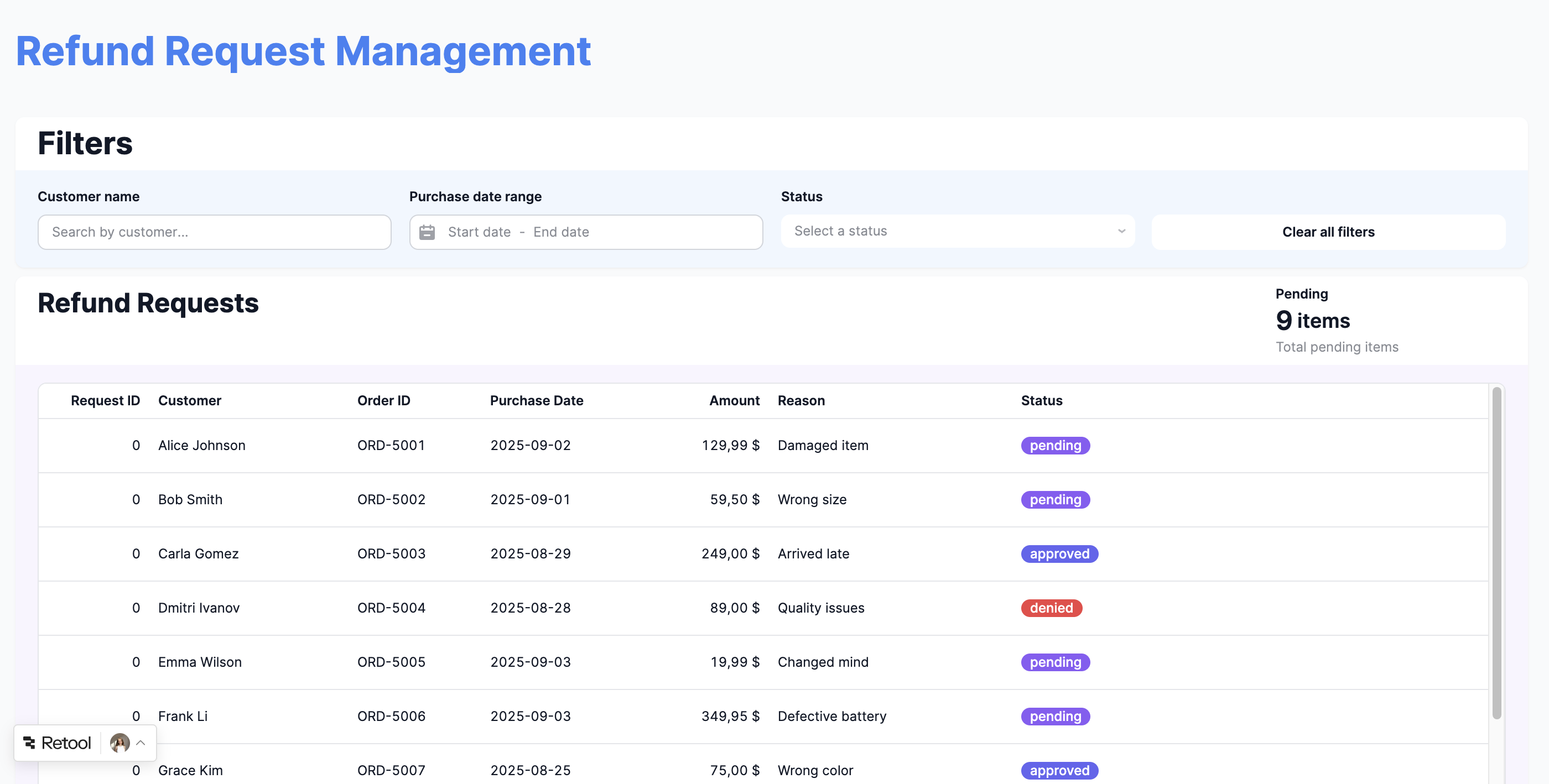
Enterprise-grade UI + Component Library
Retool provides one of the most polished, high-quality component sets in the low-code market.
Deep Data & Dev Integrations
Retool integrates natively with 100+ services, including:
API - REST API, OpenAPI, GraphQL, Retool API, SOAP API
Databases - MongoDB, Google Sheets, BigQuery, MySQL, PostgreSQL, and more
Messaging - MS Teams, Retool Email, SendGrid, Slack, SMTP, Twilio, OneSignalPlus many other integrations across analytics, CRM, development tools, finance, object and file storage, project management, and streaming services.
Built-in Workflows & Automations
Retool has solid workflow capabilities, but with different focus areas. Retool Workflows enables backend automation for operations at scale:
Capabilities
- Visual workflow builder with branching and delays
- Can run long-running backend jobsGood for cron/scheduled tasks
- Strong API/database automationSome AI support, but fewer native AI blocks compared to Jet Admin
Appsmith supports logic via JS, but Retool provides a more complete workflow engine without external tools.
AI Feature
You can describe the app you want in plain English, and Retool AI generates a first version of the UI and logic, which you then tweak. Inside your app, you can drop in AI blocks to summarize data, answer questions based on your DB or APIs, process PDFs, or generate text and images. Combined with Retool Workflows and Agents, this turns your tools into small AI copilots that can not only “chat” about your data, but also take actions like creating records or sending notifications.
Perfect for Large Engineering Teams
Retool includes:
- Git version control
- granular RBAC permissions
- SSO, SCIM, audit logs
- self-hosting availability
- environments + staging
Enterprise compliance is one of its strongest values.
Higher cost. Less budget-friendly for small teams.
Drag/drop. Appsmith’s 64-grid canvas allows finer drag-and-drop control than Retool’s 12-grid.
Complexity. Retool’s enterprise focus makes it more complex, while Appsmith is simpler for small teams and basic tools
Mobile app. Retool offers a dedicated mobile app builder, while Appsmith only supports responsive layouts
Workflow. Retool includes a complete workflow engine, unlike Appsmith which handles logic only through JS
Polished UI & components. Faster, production-ready dashboards and apps.
Jet Admin
Jet Admin is a no-code/low-code internal tools builder designed to let teams create dashboards, admin panels, support tools, analytics and data-management interfaces without heavy engineering resources. Compared to Appsmith and ToolJet, Jet Admin stands out with a highly polished UI, fast visual building experience, and strong external data integrations, making it suitable both for startups and businesses that want rapid development with minimal technical friction. Rather than focusing mainly on developers, Jet Admin is built for mixed teams — product owners, support managers, analysts, and engineers — so more users can contribute without needing full code knowledge.
Jet Admin also has an Enterprise plan for larger, security-sensitive teams.
Key Advantages of Jet Admin
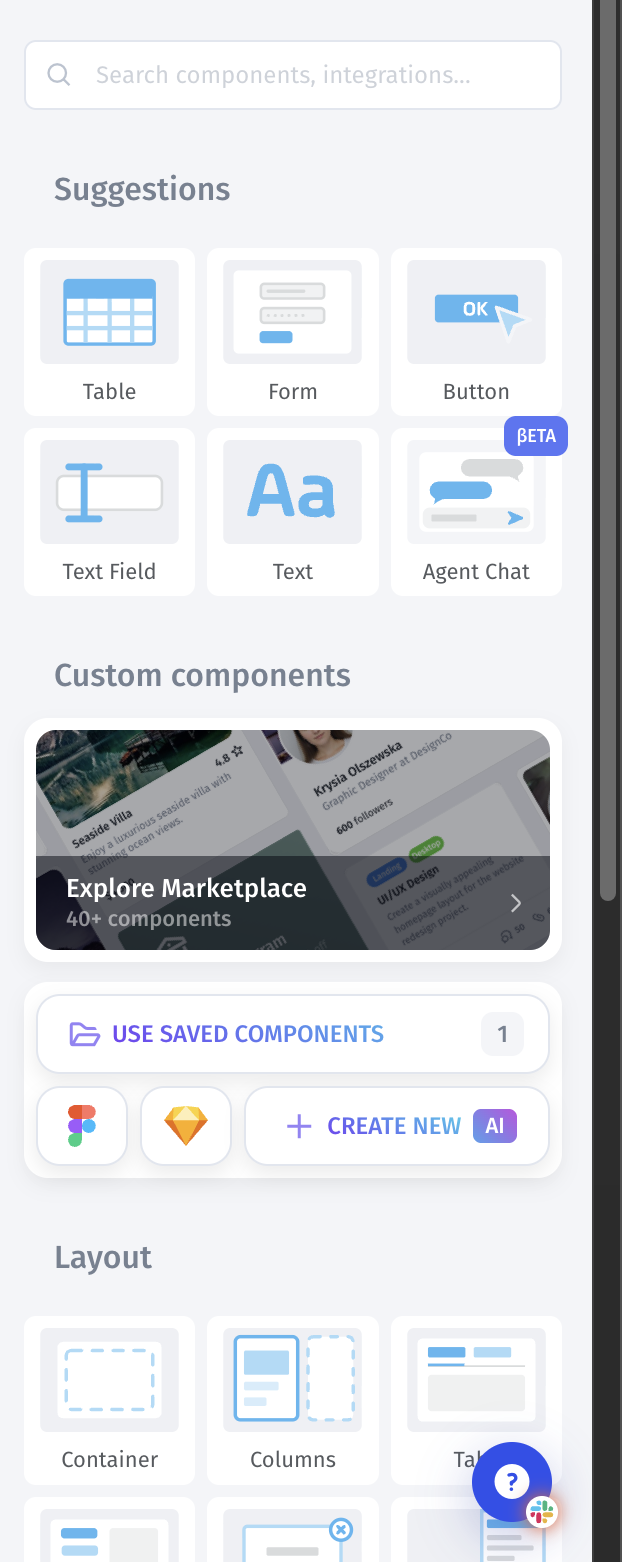
Beautiful UI + Pixel-perfect Components
Jet Admin offers one of the cleanest visual editors in this space.
Components include:
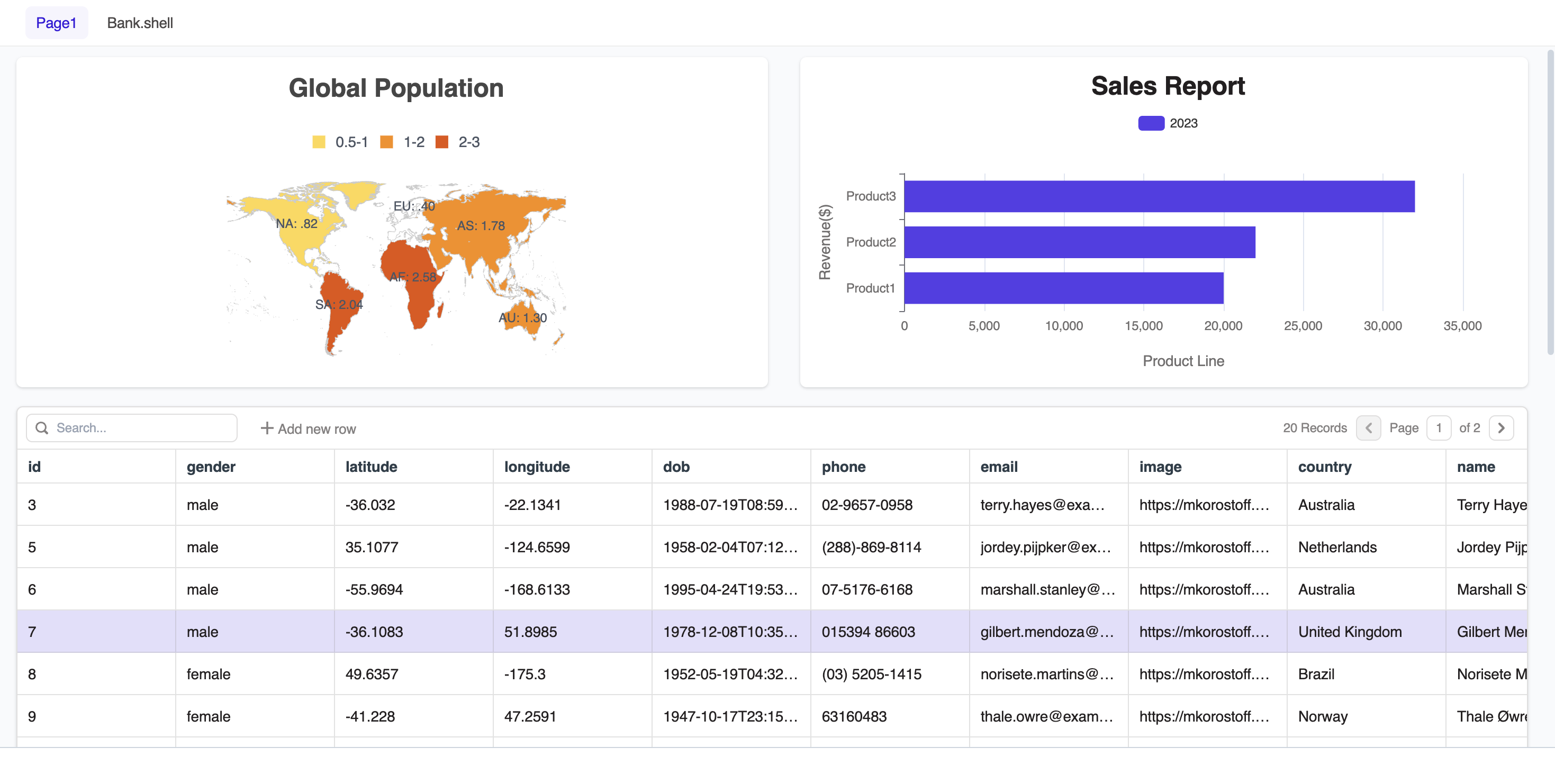
advanced tables, kanban, lists, cards, forms, media & file widgets, charts, metrics, KPIs. The interfaces look modern by default — very little styling needed.
.png)
Self-Hosted & Enterprise Security
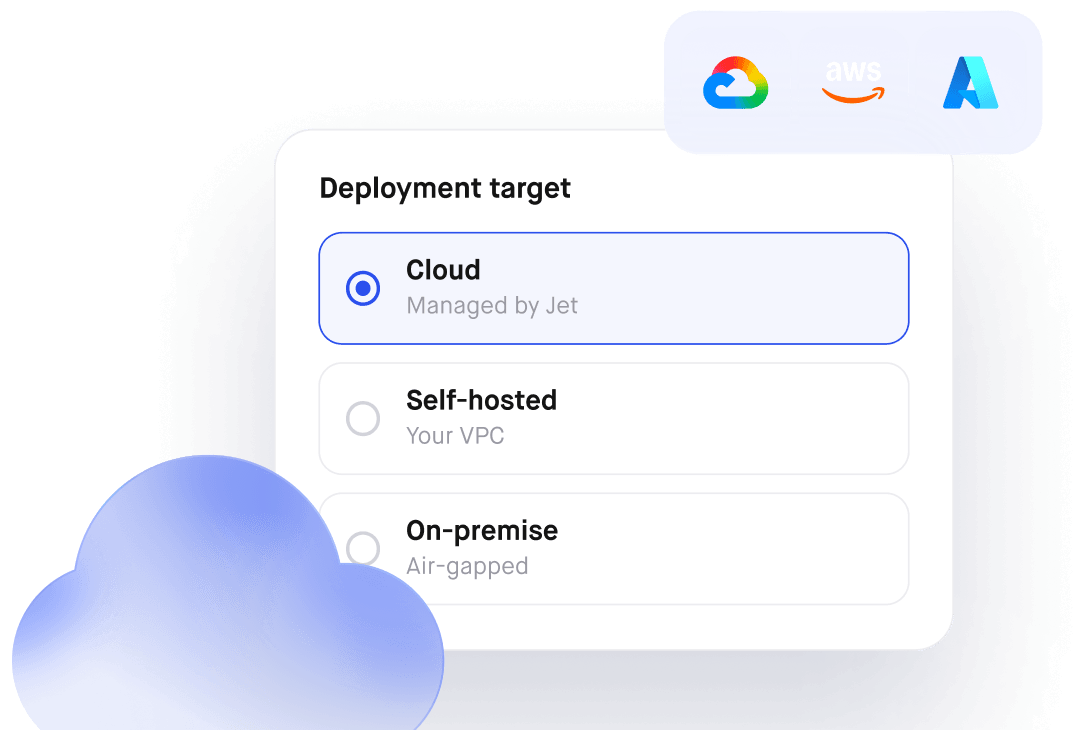
Jet Admin can be fully self-hosted in your own infrastructure (on-premise or in your VPC), which is critical for security-sensitive teams. It is designed to meet enterprise compliance requirements such as SOC 2 and GDPR, and is delivered as a closed-source platform, so the source code is not exposed. On the Enterprise plan, this is combined with SSO (SAML, Okta), customizable sign-in/sign-up flows, a 99.9% uptime SLA, and dedicated support, making Jet Admin suitable for regulated and large-scale deployments.
Strong Integrations & Data Layer Control
You can connect Jet Admin to databases or SaaS tools instantly and start manipulating data visually. Jet Admin is especially strong in business SaaS integrations — ideal for support teams & operations.
API - Rest API, GraphQL, OpenAPI, Webhooks and more
Databases - PostgreSQL, MySQL, MongoDB, Google Sheets, BigQuery, Snowflake
SaaS & Services - Stripe, Shopify, Salesforce, Airtable, HubSpot, Notion, Zendesk, Intercom
AI Features
Jet Admin includes Jet AI, which helps you build and enhance apps with natural language. You can describe the app or screen you need, and Jet AI generates a ready-made UI with basic logic that you can then tweak. Inside your finished apps, you can also use AI to work with your live data—answering questions and performing actions directly in your internal tools or customer portals.
Jet Admin features AI assistance throughout the platform: Visual Builder, Data, Workflows, and API builder.
Jet Admin Data Engine
Jet Admin ships with its own built-in PostgreSQL database, so you don’t need to set up or manage separate infrastructure just to store and query data. You can sync external sources (like REST APIs) into real SQL tables. Once the data is in Jet Admin, it’s exposed through a unified API layer, so your apps, portals, and integrations can read and write to the same consistent data model instead of juggling multiple backends.
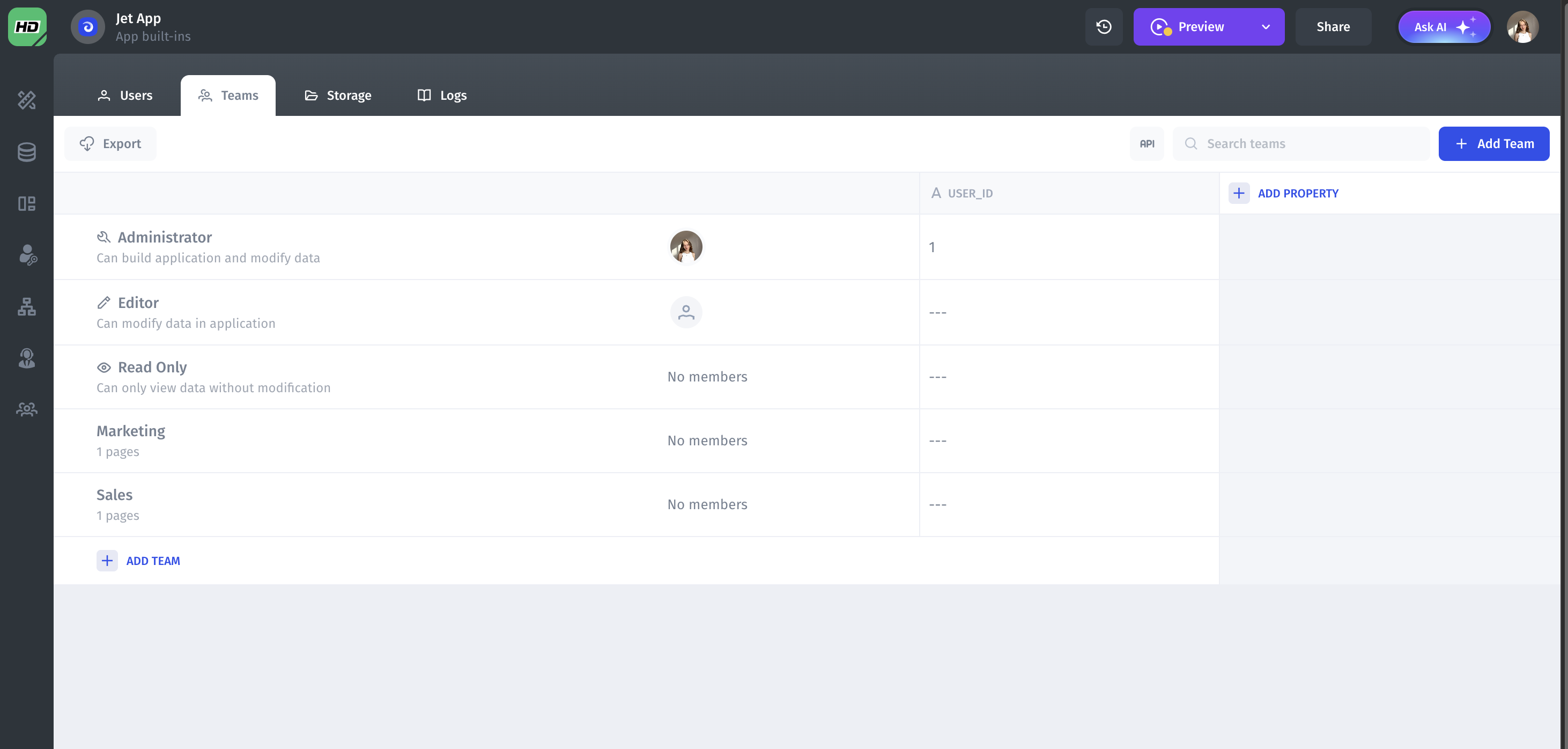
Authorization & Permissions
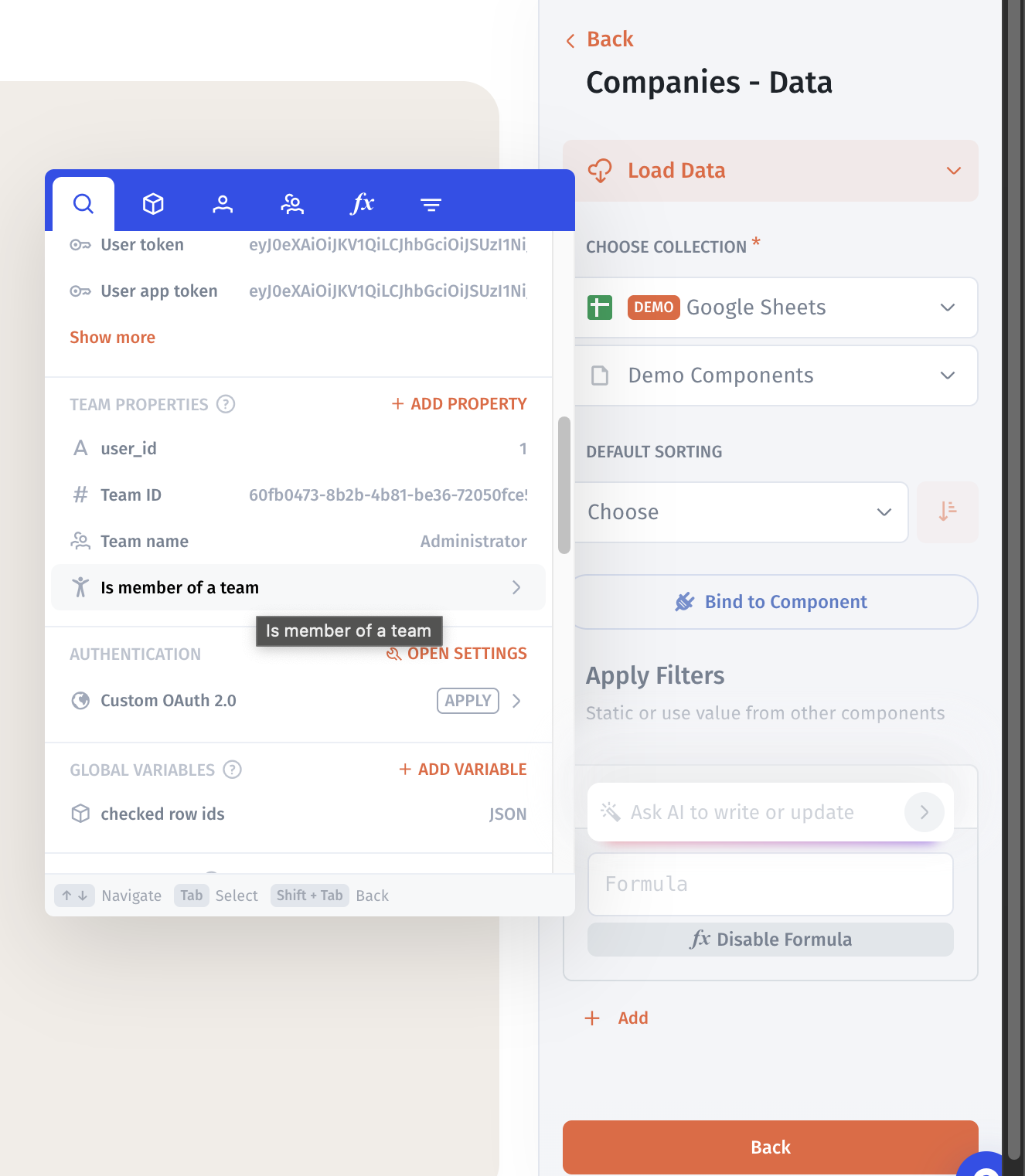
In Jet Admin you can model access control around teams, such as “Support”, “Managers” or “Customers”, define granular permissions for each team, and then simply assign users to the appropriate team instead of managing rights one by one. Permission rules can reference user attributes (for example, “is member of team = Managers”) to filter which records a user is allowed to see or edit. The same conditions can also drive conditional visibility in the UI, so specific pages, sections, or components are shown only to the right audience.
For enterprise use cases, these rules are combined with SSO and centralized team management, so access stays aligned with your existing identity and security policies.
Unique to Jet Admin
- Best-in-class UI components
- Figma → Component Import
- Custom Component Builder
- 100+ data sources
- AI app generation + modification
- AI agents
- AI across builder, workflows, data, and APIs
- Built-in PostgreSQL database
- External Data Sync from APIs
- Unified API layer
- Cheapest portal pricing (500 users for $40)
- Advanced permissions & security
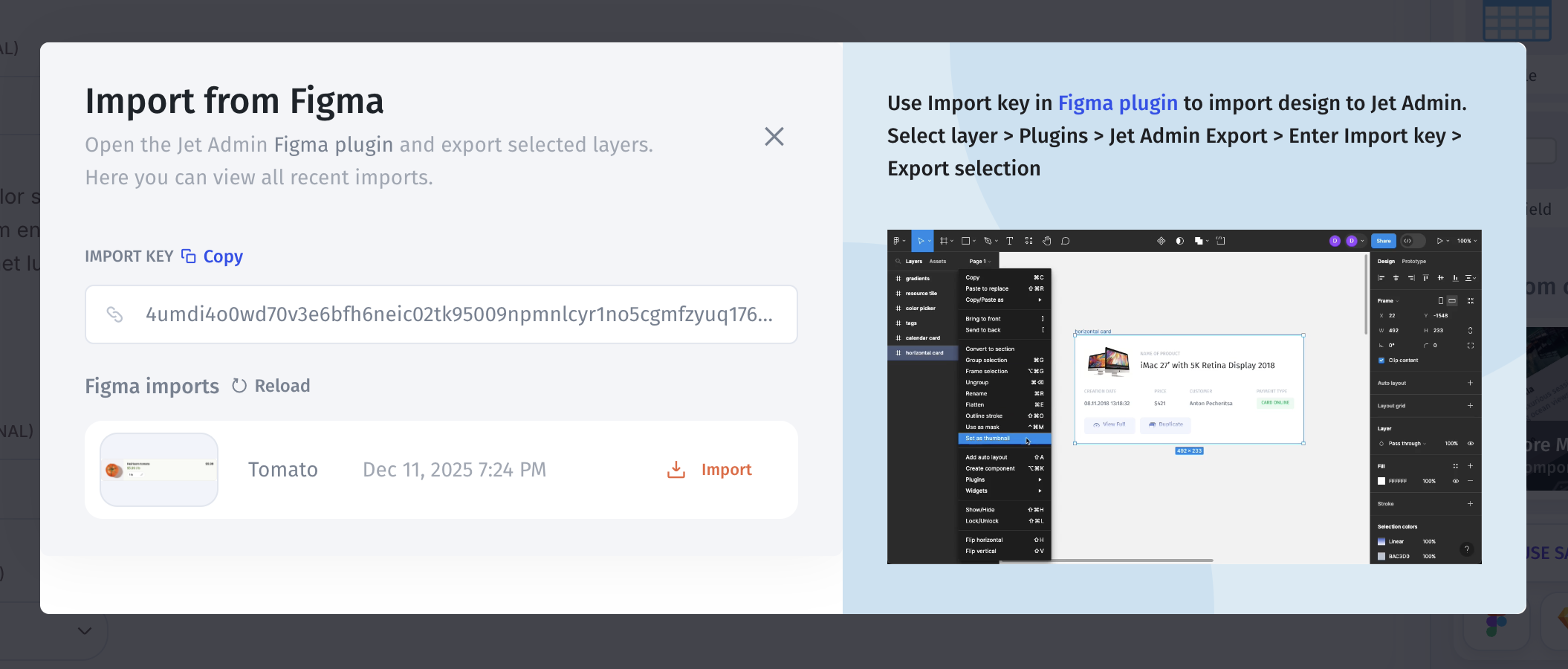
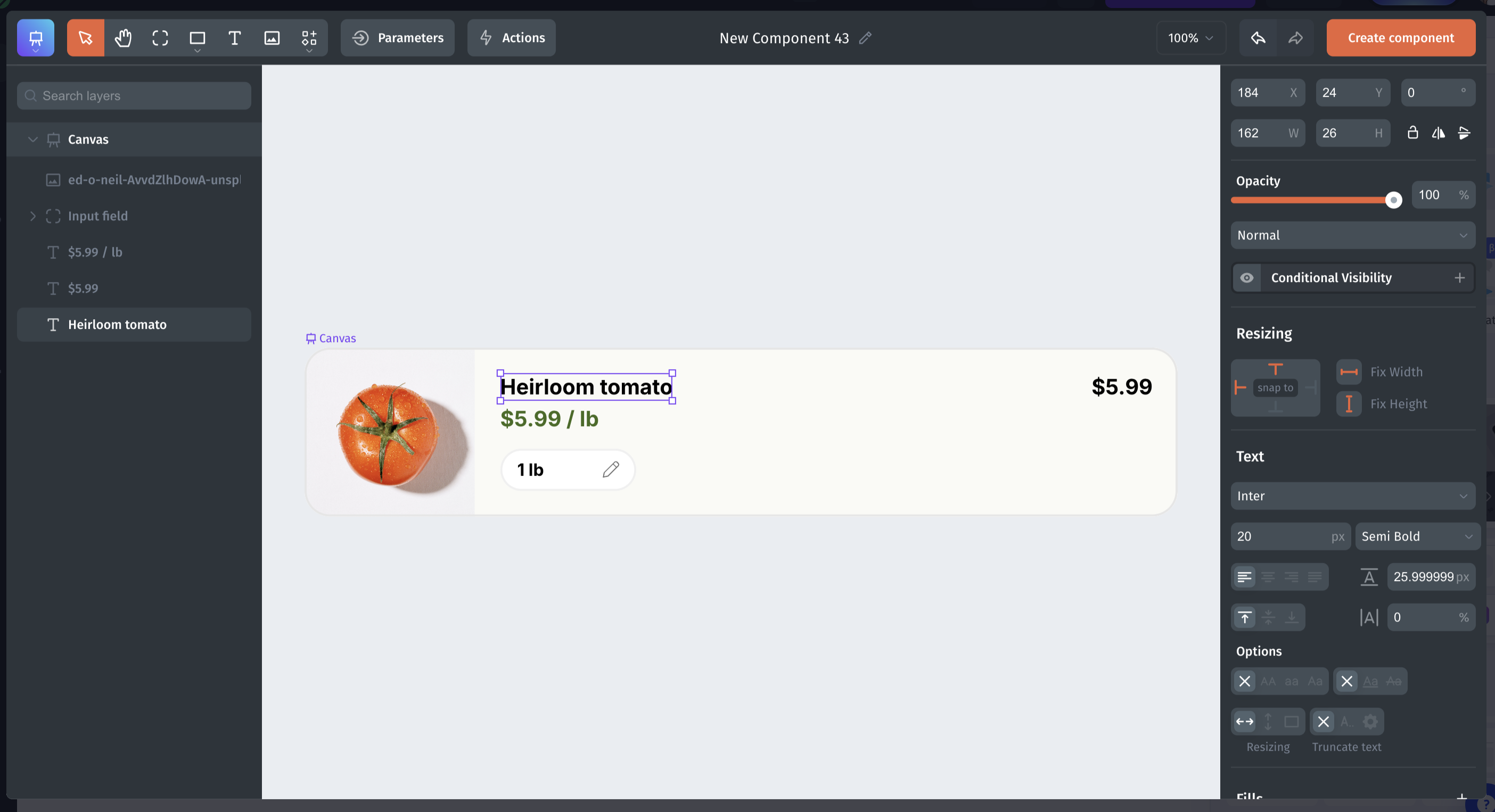
Figma component import
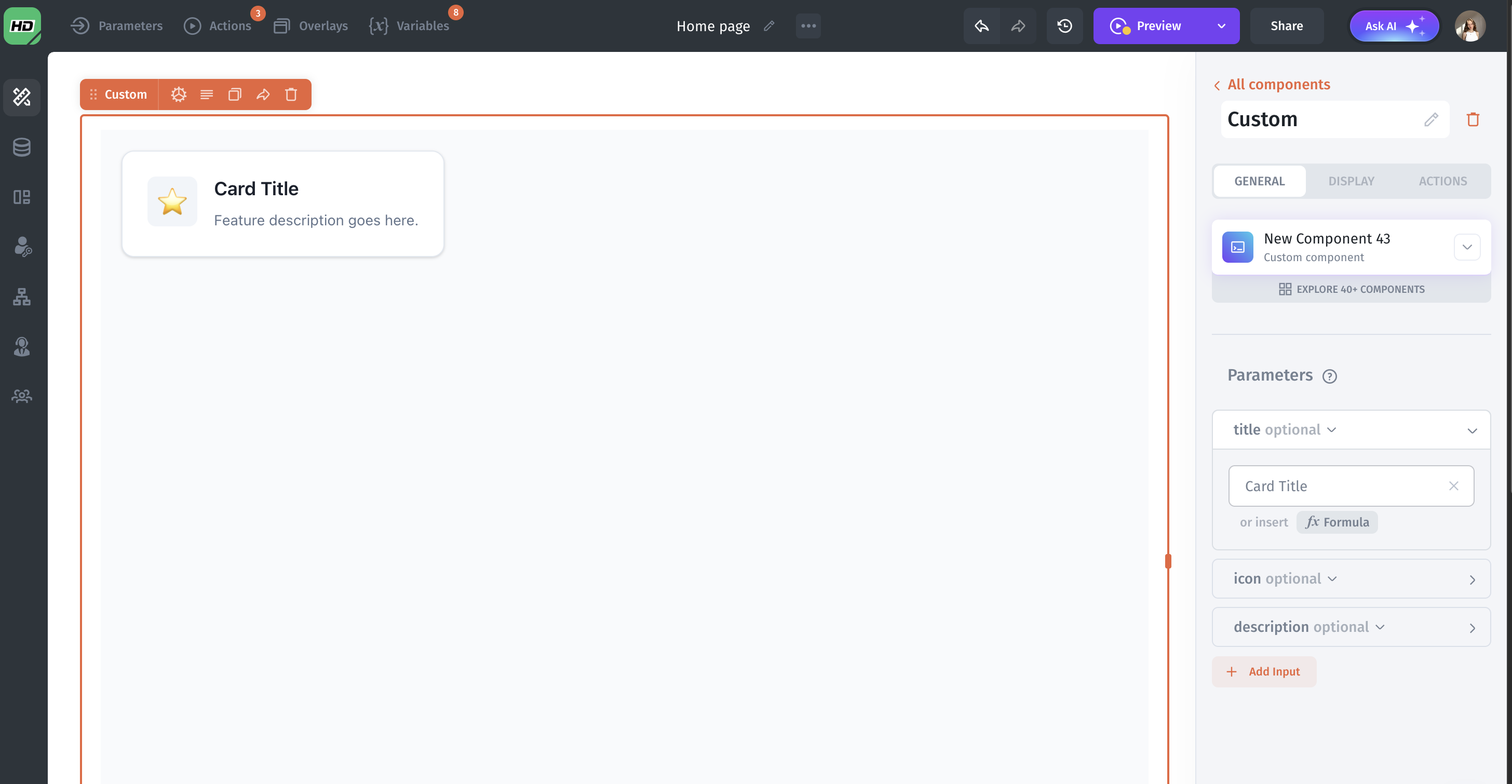
Import your Figma components into Jet Admin and they become editable UI blocks — you can tweak styles, spacing, and states directly in the built-in Jet Admin panel, manage them like any other component, and connect them to real data and actions.
UI by Code
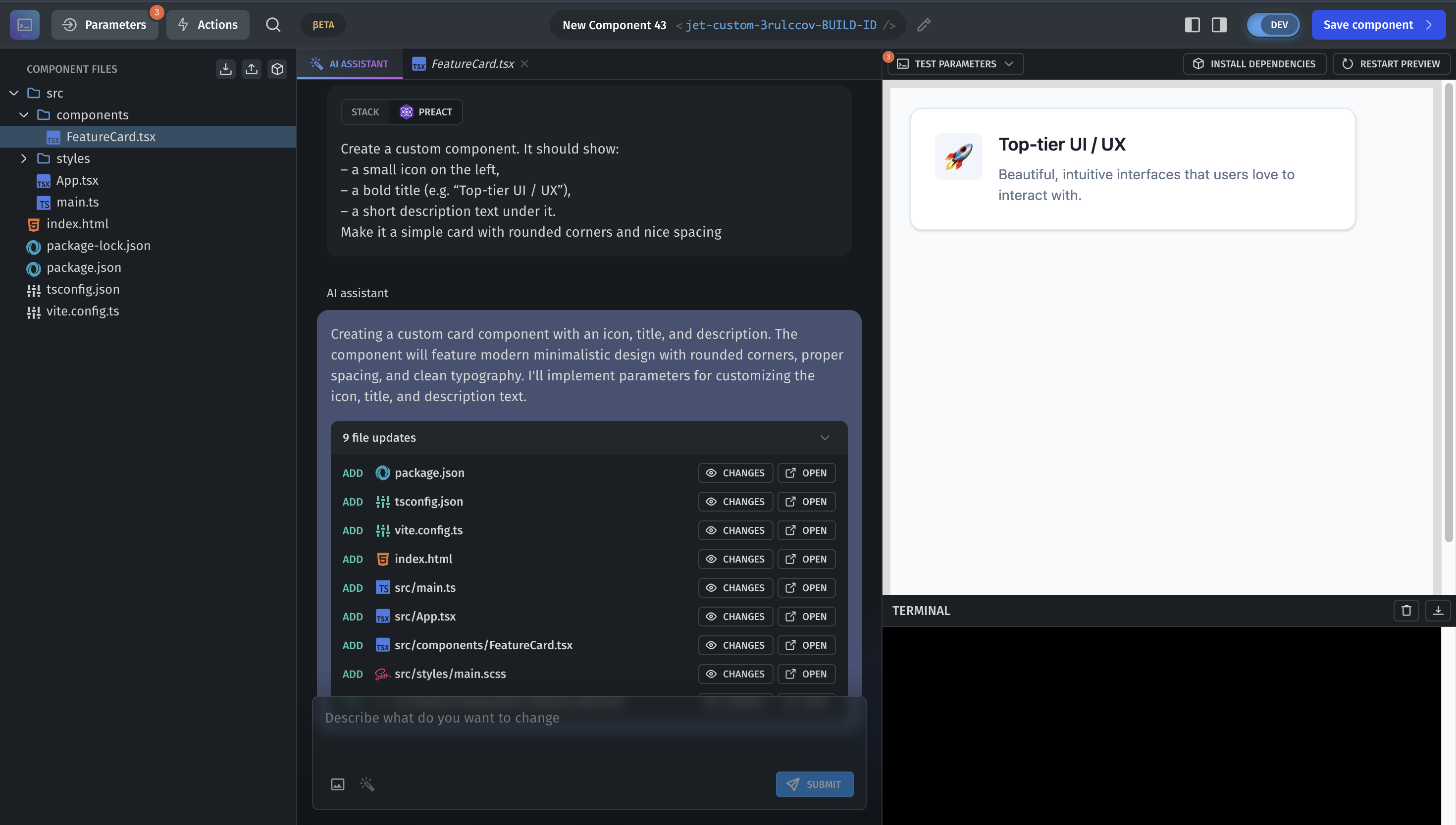
Jet Admin provides a hybrid WYSIWYG + code. You can visually design a component, then refine it in code, or start directly from code if you prefer. In practice, this means you can generate any UI component and integrate it natively into your app: define its params, events, and data bindings once, then reuse it across pages just like a built-in Jet Admin block, while still keeping full control over layout, styling, and behavior.
Logic, Workflows & Automations
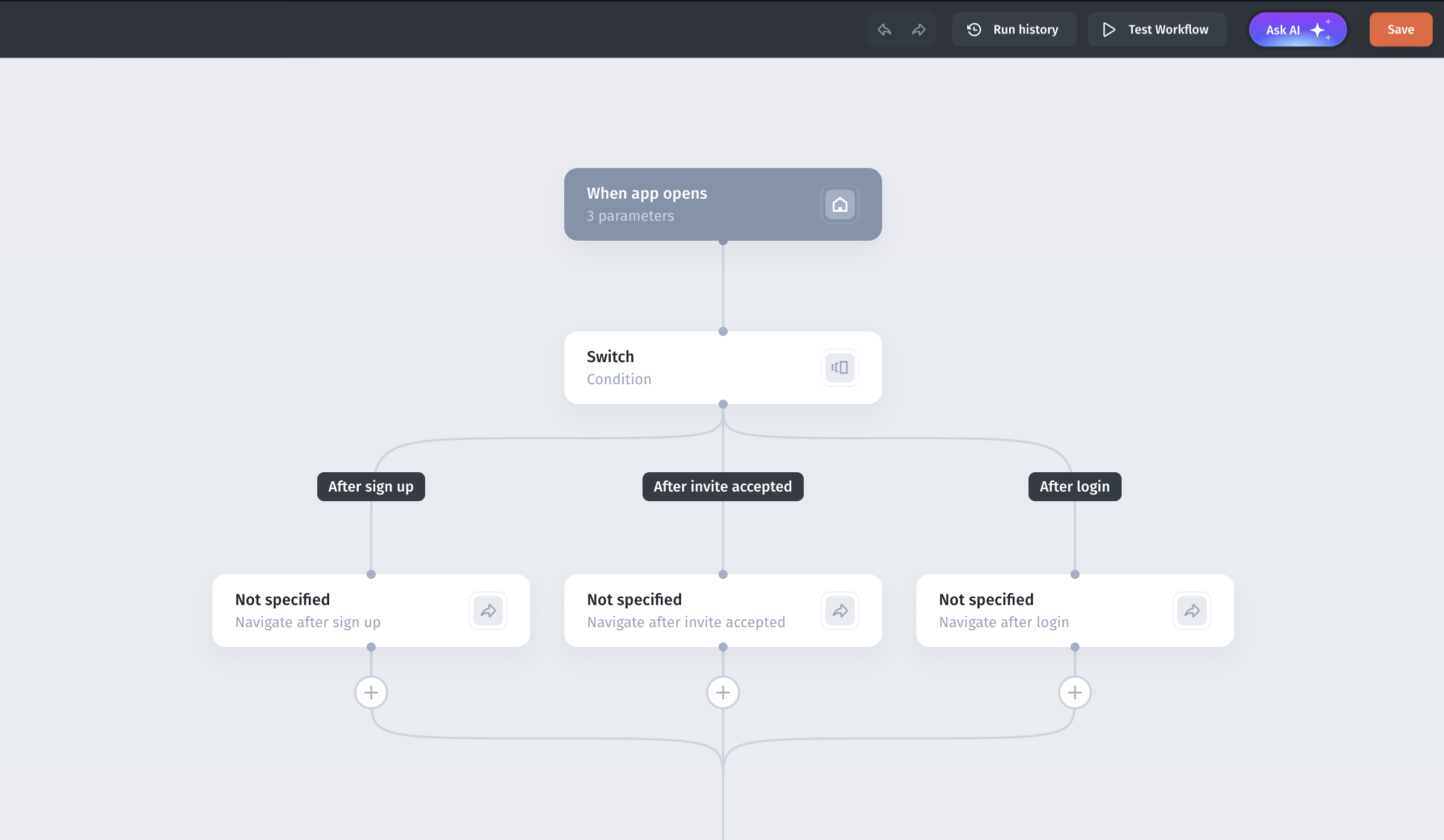
Jet Admin includes a built-in workflow editor - no need for external tools like Zapier or Make.
Capabilities:
- Full visual workflow builder with drag-and-drop blocks
- Complex logic: conditions, loops, branching, parallel steps
- 100+ native integrations (databases, SaaS tools, messaging, storage, CRMs, payment systems)
- AI-assisted steps for text automation, enrichment, classification, summarisation
Triggers:
- UI events (button click, form submit)
- API & Webhooks
- Data changes (row update, status change)
- Scheduled/recurring jobs
- No need for external automation tools like Zapier/Make
- Use cases: automated approvals, alerting, multi-step onboarding flows, scheduled reports, complex business logic
Best for: Teams that want heavy automation inside the same platform without relying on third-party workflow tools.
This makes Jet Admin extremely useful for non-developer operations teams.
Perfect for Cross-Functional Teams
Unlike Retool (dev-heavy) or Appsmith (open-source focused), Jet Admin is ideal when:
- multiple teams need access
- tools must look polished
- fast onboarding matters
- operations require automations
It balances developer power + business usability nicely.
Smaller community + fewer dev resources
Depends more on visual workflows than code flexibility
Easier no-code building. Less dependency on JS/SQL
Faster onboarding + more beginner. Friendly UI builder
Better for external/client portals, not just internal tools
More design-flexible, polished UI options
Pricing is $40/month for 500 portal users. Best for large portals
Why Jet Admin?
Jet Admin is ideal when you need polished internal tools or portals without heavy engineering effort. It combines a modern, pixel-perfect UI, 100+ data integrations, and a built-in PostgreSQL data engine with strong automation and AI features. Pricing is portal-friendly (from $40/month for 500 users), and for larger customers there’s an Enterprise plan with self-hosting, SSO, SOC 2/GDPR alignment, and SLA-backed support — making it a safe choice for security-sensitive teams.
Budibase
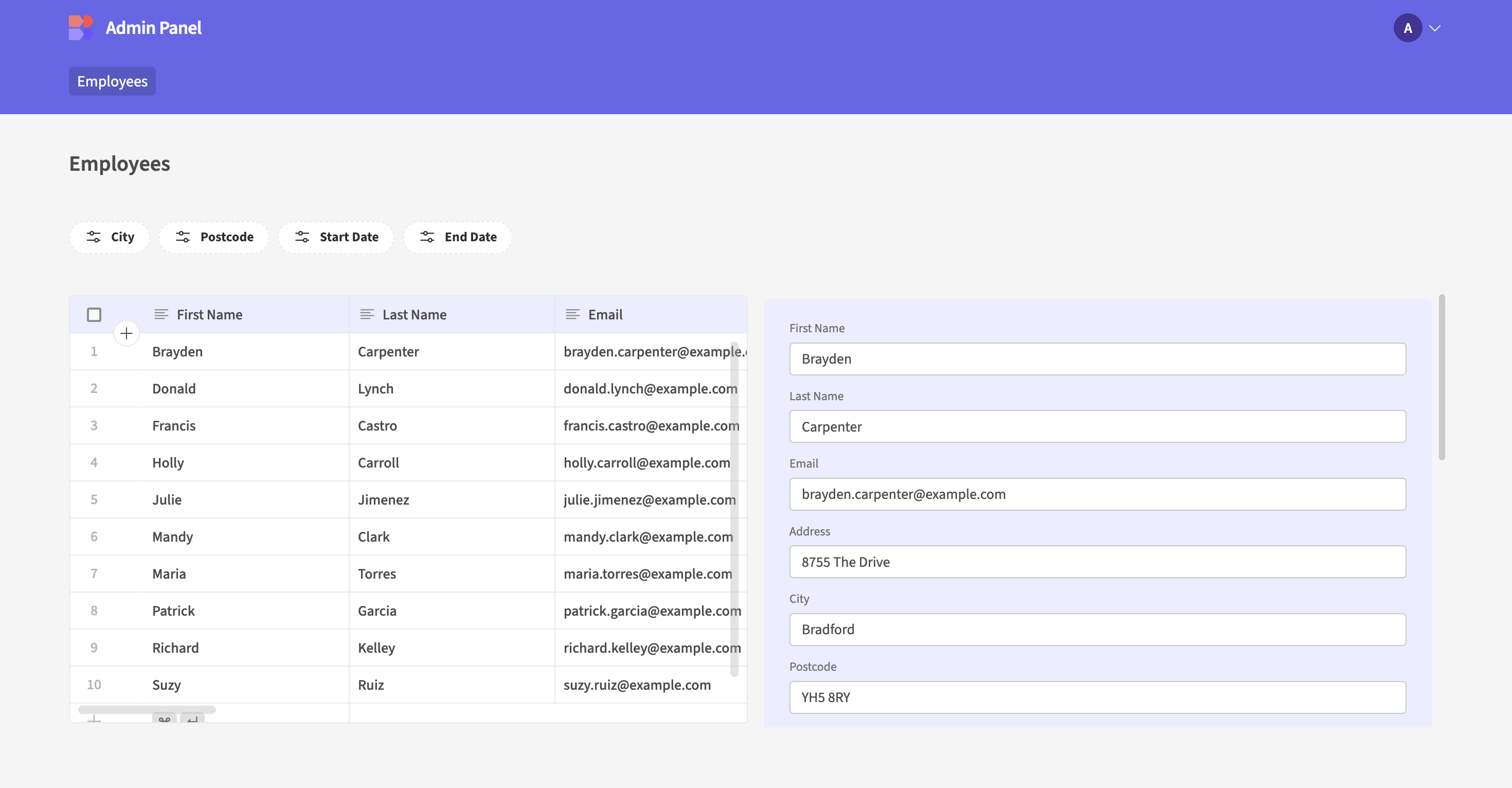
Budibase is an open-source low-code platform for building internal tools, portals, and data-centric applications quickly. Compared to Appsmith, Budibase stands out with internal database generation, form automation, and public-facing app support - meaning you can build not just dashboards, but also customer-facing workflows, portals, and approval systems.
Budibase is popular among developers who want full control of their deployment and workflow logic with a flexible self-hosted architecture.
Key Strengths of Budibase
Built-in Data Source + External Connections
Budibase allows you to either:
connect external DBs or create internal tables directly inside the platform

This hybrid model is one of Budibase’s biggest advantages.
API - REST API, GraphQL, Webhooks
Databases - Built-in DB, PostgreSQL, MySQL, SQL Server, MongoDB, CouchDB, Supabase, Firebase, Google Sheets, Airtable
SaaS & Services - Slack, Zapier, Make, SMTP, OAuth/SSO
Strong Form & Workflow Automation
Budibase is excellent for form-based processes:
- approval systems
- onboarding pipelines
- HR automation flows
- compliance requests
Users can build multi-step requests + review dashboards in one interface.
Public / External App Publishing
Unlike most internal-tool builders, Budibase can publish public apps, portals, or client dashboards, with optional auth and role permissions. Great for:
- client access portals
- vendor onboarding
- community submissions
- application forms
- external analytics views
This is a massive edge over Appsmith in certain cases.
Less flexible for complex logic or custom code
Not open-source, smaller community
Can struggle with highly dynamic or data-heavy apps
Easier no-code/low-code building
Built-in database for fast prototyping
Visual workflows and automations
Flexible deployment. Cloud or self-hosted)
Beginner-friendly for non-technical teams
Superblocks
Superblocks is a developer-facing internal application platform focused on high-performance apps, backend automation, and workflows built through code rather than drag-and-drop only. Compared to Appsmith, Superblocks leans more toward advanced engineering teams that want flexibility, scalable services, and a more backend-centric approach.
It is especially strong for companies processing sensitive data, analytics-heavy workflows, and high-volume API/database workloads.
Think of it as:
A programmable internal stack where you build apps + APIs + automations in one place.
What Makes Superblocks Stand Out
App Builder + API Builder + Workflow Engine in One
Superblocks isn't just a UI builder - it’s an internal tooling platform with:
- UI apps for dashboards/admin panels
- custom APIs with JS/Python code
- background workflows (cron, triggers, queues)
This replaces multiple tools (backend scripts, schedulers, admin UIs).

Backend-First Approach
Developers can write custom logic using:
- JavaScript - Serverless functions
- Python - HTTP triggers
- SQL - Scheduled automation jobs.
You can build internal micro-services with application UI on top - extremely flexible.
Strong Enterprise & Data Features
Superblocks integrates with nearly every enterprise database and SaaS API: Postgres, MySQL, MSSQLSnowflake, Redshift, BigQueryAWS, GCP, AzureMongoDB, DynamoDB, Clickhouse, S3 buckets, REST/GraphQL APIs, Databricks, Kubernetes.Ideal for data-driven ops, analytics, and workflow automation.
Less no‑code friendly. Gets complex if you rely on custom code rather than visual builder
Smaller community.
Fewer templates than Appsmith
For simple CRUD/admin tools. Might be overkill compared to Appsmith’s simplicity
More flexible. Supports both low‑code visual builder and full code (JS/Node) when needed
Strong enterprise features. RBAC, audit logs, integrations, scalable backend
Good for complex workflows, data-heavy tools, and production‑grade internal apps
DronaHQ
DronaHQ is a low-code platform focused on building internal tools, admin dashboards, and mobile-ready applications. It combines visual UI building, workflow automation, and API/database integrations to help teams create internal apps quickly.Compared to Appsmith, DronaHQ emphasizes cross-platform apps (desktop + mobile), team collaboration, and a balance between low-code and custom scripting.
Key Strengths of DronaHQ
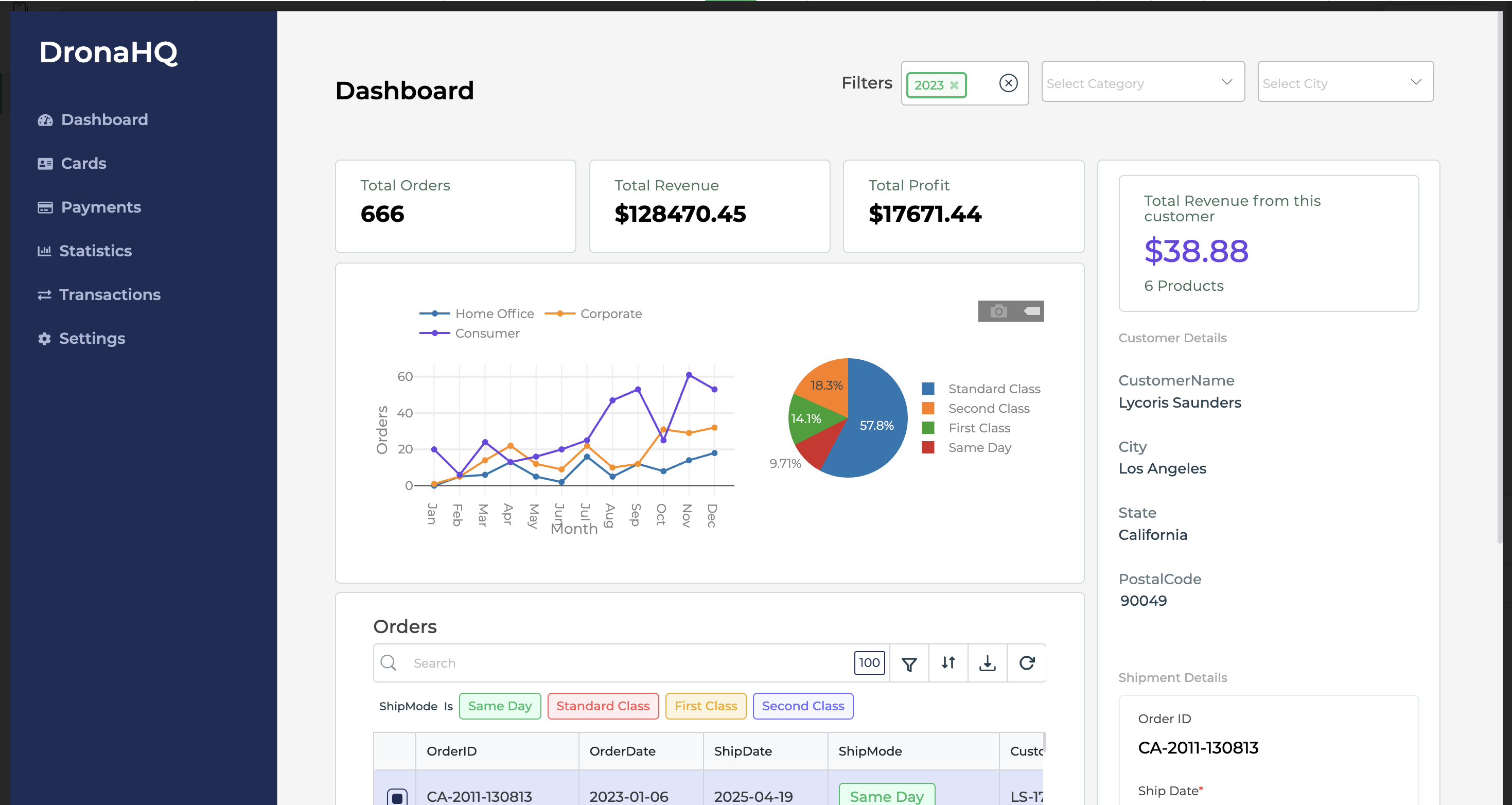
Drag-and-Drop UI Builder
DronaHQ provides a visual builder for:
- forms & tables
- charts & KPI dashboards
- lists, cards, kanban boardscustom components via HTML/JS
Flexible Data Connections
DronaHQ allows connections to multiple data sources and APIs:
API - REST API, Webhooks, GraphQL
Databases - Built-in DB, PostgreSQL, MySQL, SQL Server, Google Sheets, Airtable
SaaS & Services - Slack, Zapier, Salesforce, Stripe, HubSpot, Gmail
You can also create custom queries and transform data using JS.
Workflows & Automations
DronaHQ includes a workflow engine for:
- Approval flows
- Scheduled tasks (cron jobs)
- Trigger-based automation (data change events)
- Notifications (email, SMS, Slack)
Workflows can be connected to both backend data and front-end actions.
Team Collaboration & Governance
DronaHQ supports:
- Role-based access control
- Multi-environment support (dev/staging/prod)
- Audit logs and activity tracking
- Git integration for version control
This makes it suitable for teams with multiple contributors.
Less flexible for complex custom logic
Smaller community and fewer templates
Can be limiting for highly customized UIs or large apps
Fast drag‑and‑drop app building
Strong API, DB, and SaaS integrations
Built-in workflows, CRUD, and RBAC
Team management
Cross-platform
UI Bakery
UI Bakery is a low-code/no-code platform designed to help teams quickly build internal tools, admin panels, dashboards, and data-driven apps. Unlike fully open-source options, it combines a drag-and-drop visual builder with the ability to write custom code for advanced functionality. This makes it ideal for teams that want fast development without losing flexibility.
UI Bakery is suitable for developers, product managers, and operations teams who need visual building for rapid prototyping while keeping the option to integrate custom logic when needed.
Key Strengths of UI Bakery
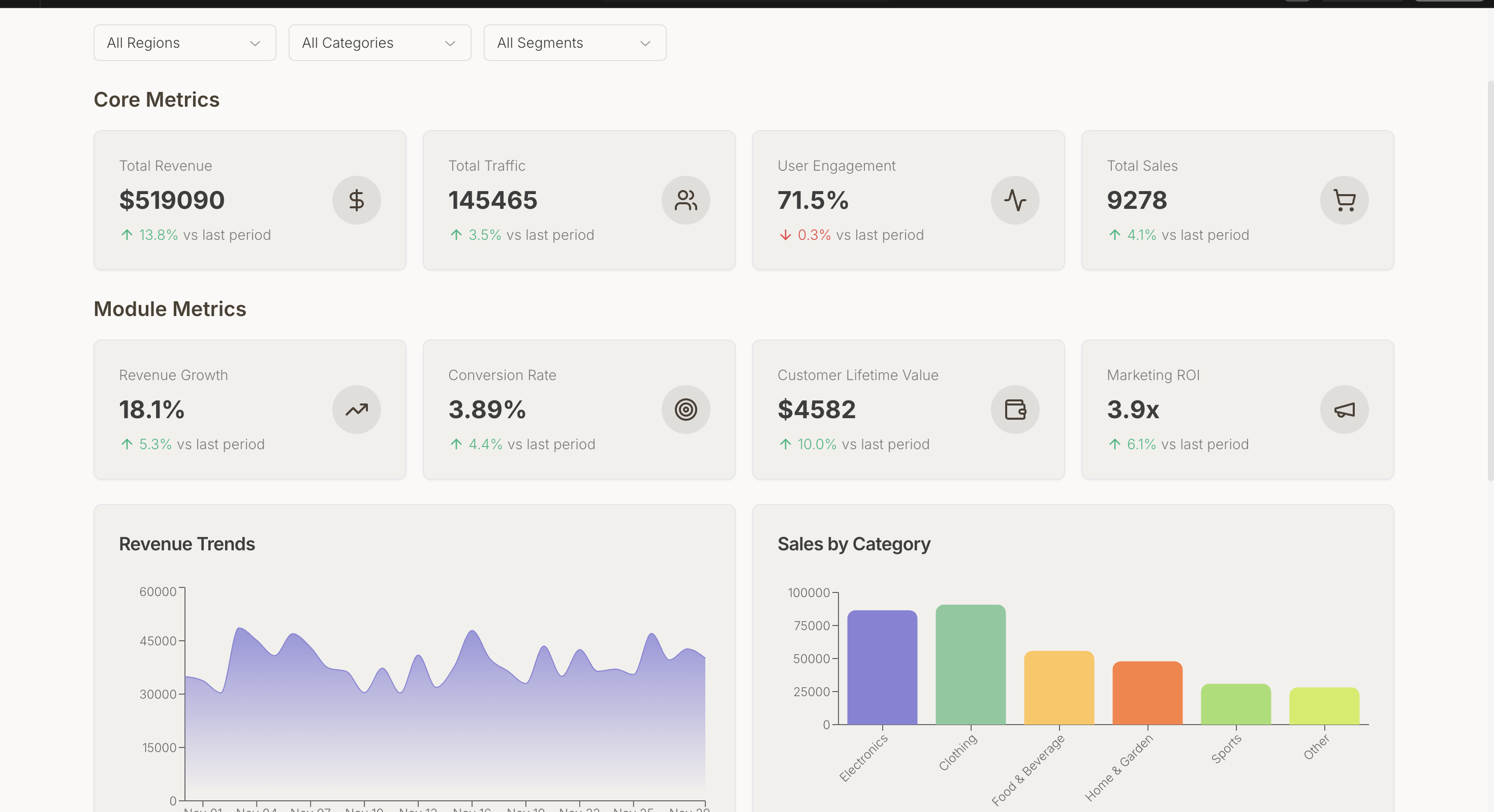
Drag-and-Drop Visual Builder
UI Bakery provides a canvas where users can easily assemble components such as:
- Tables, lists, cards
- Forms & multi-step workflows
- Charts & KPI dashboards
- Modals, buttons, and file upload widgets
It supports responsive layouts automatically for desktop, tablet, and mobile screens.
Data & API Integrations
You can connect UI Bakery to a variety of databases and SaaS platforms:
API - REST, GraphQL, OpenAPI, Webhooks
Databases - PostgreSQL, MySQL, SQL Server, MongoDB, Firebase, Google Sheets, Airtable
SaaS & Services - Slack, Zapier, Stripe, Salesforce, HubSpot, Gmail
Team Collaboration & Security
Role-based access control (RBAC) and user permissions
- Multi-environment support (dev, staging, production)
- Audit logs for tracking activity
- Git integration on paid plans for version control
- Cloud-hosted or self-hosted deployment for data privacy
Templates & Pre-Built Components
UI Bakery offers a library of pre-built templates for dashboards, CRUD panels, and admin UIs. This helps teams start building without designing from scratch, accelerating development time.
Less flexible for complex logic or custom code
Not open-source, smaller community
Can struggle with highly dynamic or data-heavy apps
More pre-built UI components. Faster UI building
Better layout/design control
Easier for mixed (tech + non-tech) teams
Built-in workflows and team permissions
Cross-platform


.avif)



.png)